
Meeting Briefing: How to prepare before a Call or Meeting (no time wasted)
Most meetings fail before they start. Not because people are bad. But because they are unprepared.
A meeting briefing fixes that.
What Is a Meeting Briefing?
A meeting briefing is a short summary you review before a call or meeting.
It gives you context. It tells you why the meeting exists. It reminds you what matters. A good briefing fits on one screen and takes minutes to review.
Also important, is not a meeting agenda.
Meeting Briefing vs Meeting Agenda
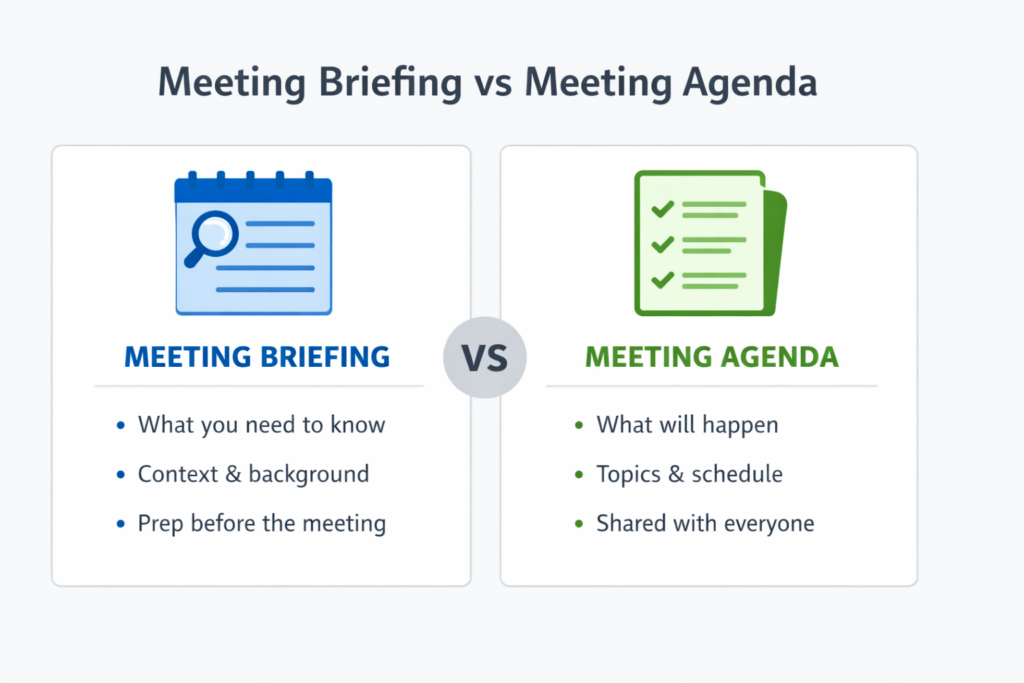
This is a common source of confusion. Briefings and Agendas serve different purposes, and you often need both.
Meeting agenda
- Describes what will happen
- Lists topics and timing
- Shared with all attendees
Meeting briefing
- Describes what you need to know
- Focuses on context and decisions
- Used before joining the meeting
Why meeting briefings are important
Meeting briefings help you:
- join meetings prepared
- avoid repeated explanations
- ask better questions
- make faster decisions
- reduce meeting time
For busy professionals, preparation is leverage.
When should you use a Meeting briefing?
You don’t need one for every meeting.
You do need one when:
- decisions are expected
- there is history or context
- external people are involved
- the meeting has consequences
Typical examples:
- sales calls
- client meetings
- executive syncs
- investor calls
- interviews
Structure of a Meeting Briefing
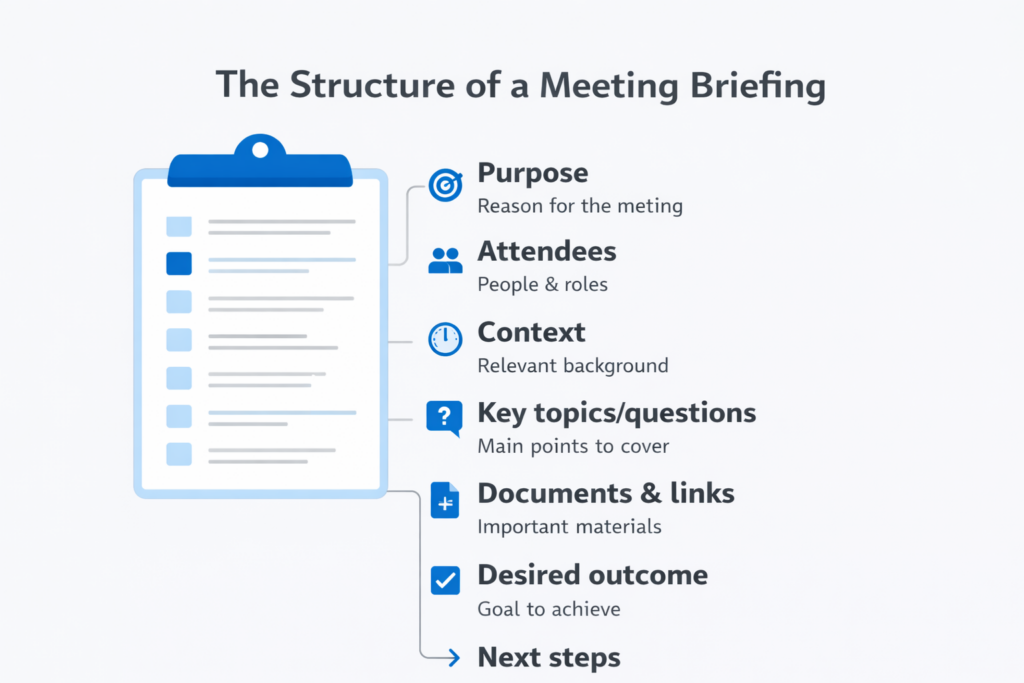
1. Meeting Purpose
Why does this meeting exist? What problem should it solve?
2. Attendees and Roles
Who is joining?
- decision maker
- influencer
- observer
This helps you steer the conversation. When the meeting is with people you don’t know, finding out some information about the attendees is preferred. Can be a brief check of their Linkedin profile, blog, website.
3. Background and context
What happened before?
- previous meetings
- open questions
- known constraints
4. Key Topics or questions
What must be discussed?
What must be answered?
Limit this to the essentials.
5. Relevant documents or links
Only include what is necessary and relevant for the meeting. Make sure you don’t include obsolete information or things already discussed (especially when it is a team meeting)
- previous emails
- documents, slides
Too many links reduce clarity. Focus on summarizing what is important.
6. Desired outcome
What should be true after the meeting?
- decision made
- approval granted
- next steps defined
How long should a meeting briefing be?
Short. But still include all relevant information. A good rule:
- 5-10 minutes to create
- 2 minutes to read
If it takes longer, it’s too long.
How to prepare a Meeting Briefing. Step by step
A simple process a virtual assistant does for her manager:
- Open the calendar event
- Search recent emails or messages
- Write the purpose
- List key points
- Define the outcome (usually this should be part of the calendar event)
Stop there. Don’t add agenda to the briefing.
Common meeting preparation mistakes
Avoid these mistakes:
- writing long documents
- copying the full agenda
- adding unnecessary context
- not reviewing it beforehand
A briefing is not documentation, and doesn’t need to copy-paste information from documents or emails.
It’s just a quick preparation.
How to automate Briefings for your meetings
Most briefing content already exists in:
- your calendar
- your inbox
- shared documents
- todo lists
While manually collecting is the best way to do it, you can get some help with all these AI tools.
This is why meeting briefings are a strong candidate for automation.
Tools like ActorDO are moving toward generating concise briefings automatically, using your existing context, before each meeting.