
How to Reply faster to Emails
If you are drawn in work emails but you still ne respond to those emails, here’s how to do it.
Email overload is a productivity killer, especially for busy professionals juggling multiple priorities in Gmail and Outlook. The key to replying faster isn’t about typing quicker; it’s about optimizing your workflow to reduce the time spent on decision-making and manual drafting.
The most effective strategy focuses on two critical bottlenecks:
- response creation
- follow-up accountability.
When you automate these steps, you reclaim hours every week.
Batch Process and Set Response Windows
Constant email checking is the single biggest productivity drain. Stop being reactive and become intentional about when you handle your inbox.
- Turn Off Notifications: Disable all desktop and mobile pop-up notifications for email. This protects your focus time.
- Set Specific Check Times: Allocate 2-3 specific, non-negotiable blocks in your day (e.g., 9:00 AM, 1:00 PM, 4:00 PM) solely for processing emails. Outside of these windows, your inbox is closed.
- Batch Similar Replies: When you are in an email block, group similar actions. Reply to all “quick-win” emails first, then tackle all the longer “Deferred” action items, and finally, handle all internal messages.
Get tools to help you with Email Writing
All this technology around us can help a lot. There is no real reason why you wouldn’t use a work assistant like ActorDo. And Actor is free to start.
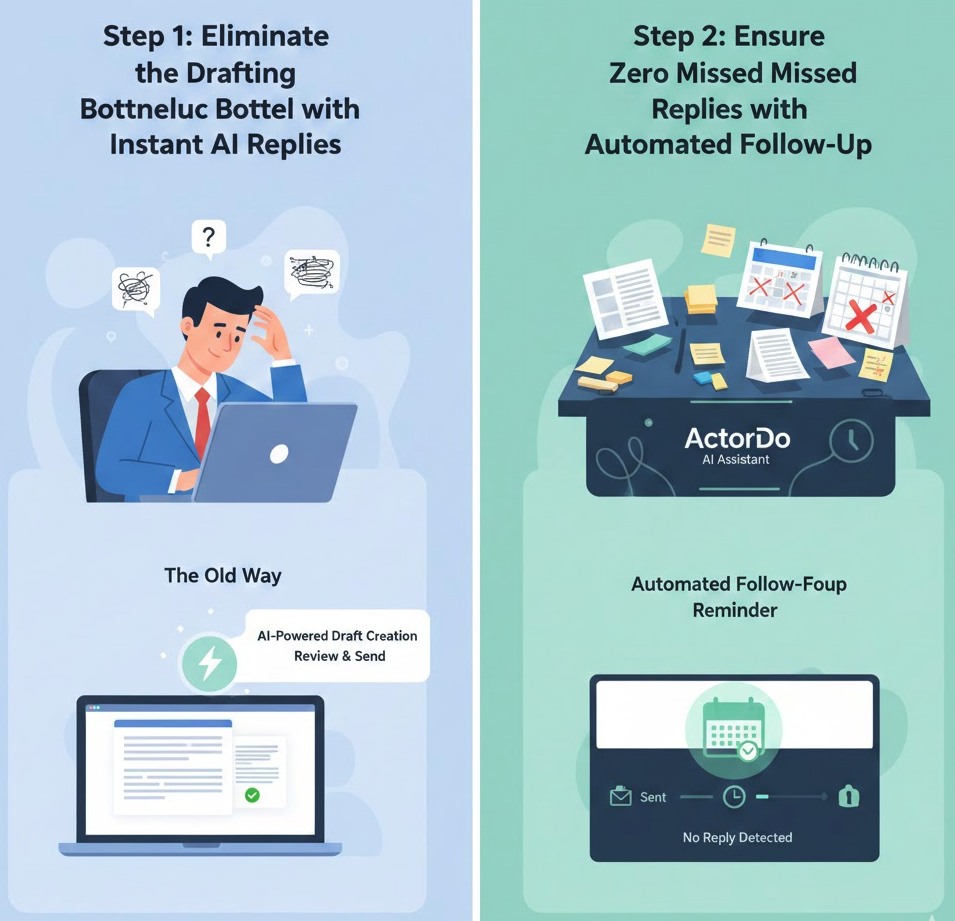
Step 1: Eliminate the Drafting Bottleneck with AI Replies
The hardest part of replying is often starting. Reading an email, determining the necessary action, and crafting a clear, professional response from scratch. This is where your time vanishes.
The Old Way:
- Read the email completely.
- Formulate the response logic in your head.
- Open a new draft and type (often checking back on the original email).
The New Way: AI-Powered Draft Creation + Email Templates
Use an intelligent AI Assistant like ActorDo to handle the initial lift right inside your Gmail or Outlook interface.
- How ActorDo Helps: ActorDo’s core feature is automatically analyzing incoming emails that require a response and creating a contextual draft reply for you.
- For a client request, it instantly drafts a professional acknowledgment and a next-step suggestion.
- For a simple question, it generates a concise, accurate answer.
This transforms your task from creation to quick review and send. Instead of spending three to five minutes writing an email, you spend seconds reviewing a high-quality draft, making a minor edit, and hitting send. You never start from a blank screen.
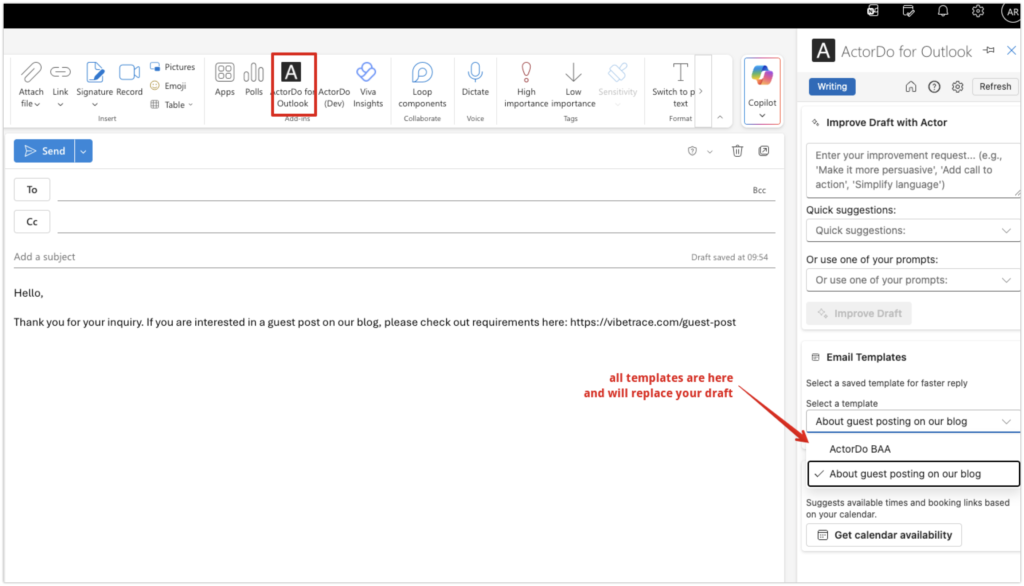
Use Email Templates
AI is not always helpful. It gets things wrong many times. But this case, you have Email Templates that you can quickly use and adapt them. Read our article on Outlook Email Templates
Step 2: Ensure Zero Missed Replies with Automated Follow-Up
Fast replies are essential, but even a perfect reply is useless if you forget to follow up when you don’t hear back. Manual follow-up tracking is tedious and prone to human error, creating unnecessary anxiety about dropped balls.
The Old Way:
- Send an important email.
- Flag it or set a manual calendar reminder (which you often ignore or forget to clear).
- Waste mental energy worrying about whether the recipient saw your message.
The New Way: Automated Follow-Up Reminders
ActorDo integrates a smart accountability layer directly into your email process.
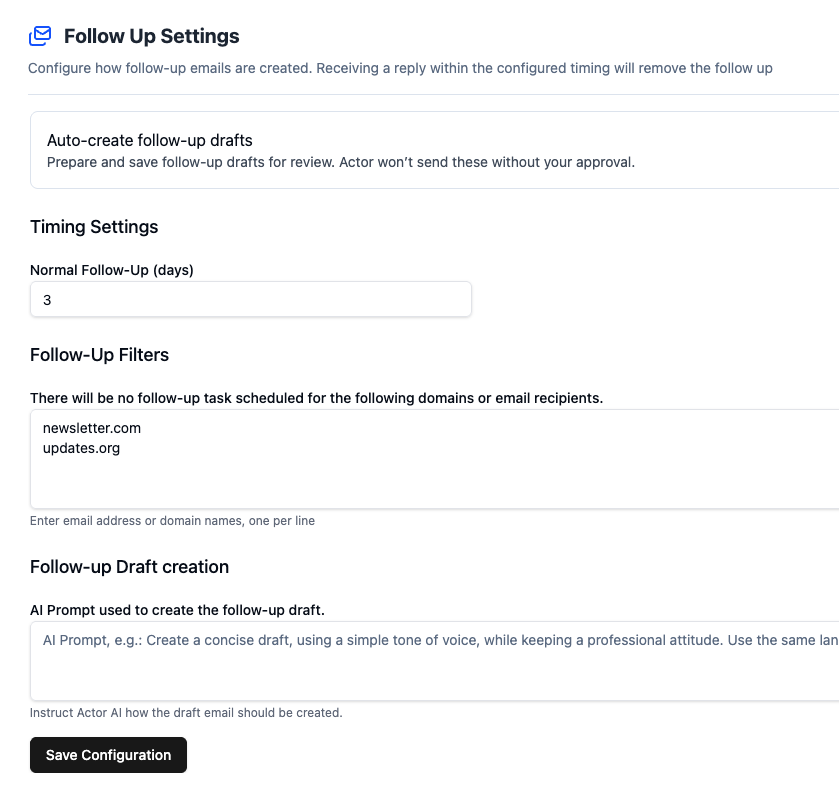
- How ActorDo Helps: When you send an email requiring a recipient action, ActorDo automatically creates a follow-up reminder for that specific thread if no reply is detected within a set timeframe.
- This ensures critical tasks and conversations never stall due to a lack of response.
- The reminder is attached directly to the original conversation, giving you instant context for the follow-up message without searching your sent folder.
With ActorDo drafts are ready for you and just wait to be adjusted and sent.
By eliminating the manual work of both drafting and tracking, ActorDo acts as a proactive workflow engine, ensuring you maintain a rapid response rate without spending extra hours in your inbox.
- Result: You cut down on context switching, increase your daily reply volume, and gain the peace of mind that no important conversation will slip through the cracks.