
Looking for an alternative to Instinct?
Bring your workday together with Actor: ask for help in conversation, then turn recurring email, calendar and task work into workflows you can review.
Instinct makes personal assistance feel like texting. Actor combines conversational assistance with a dedicated workspace for the routines behind your working day.
Research updated October 30, 2026 · Published by Actor · Public information, not a hands-on benchmark.
Both can start with a conversation.
Instinct: a personal agent you text
Instinct presents an assistant that can act through a phone and computer. Its homepage illustrates errands such as groceries, flowers and train bookings. See Instinct’s overview.
Outside coverage describes messaging via WhatsApp and text. Built In’s explainer provides a broader product overview than the short homepage.
Actor: conversation plus work routines
Use Ask Actor for a changing request: find a thread, prepare a reply, plan a meeting or create a task. Actor also works through WhatsApp, so conversational access is shared ground.
Use Studio when the job repeats. Define when it starts and what happens next, then review the results in run history.
Actor vs Instinct
Choose around the work you want to delegate and the way you want to manage it.
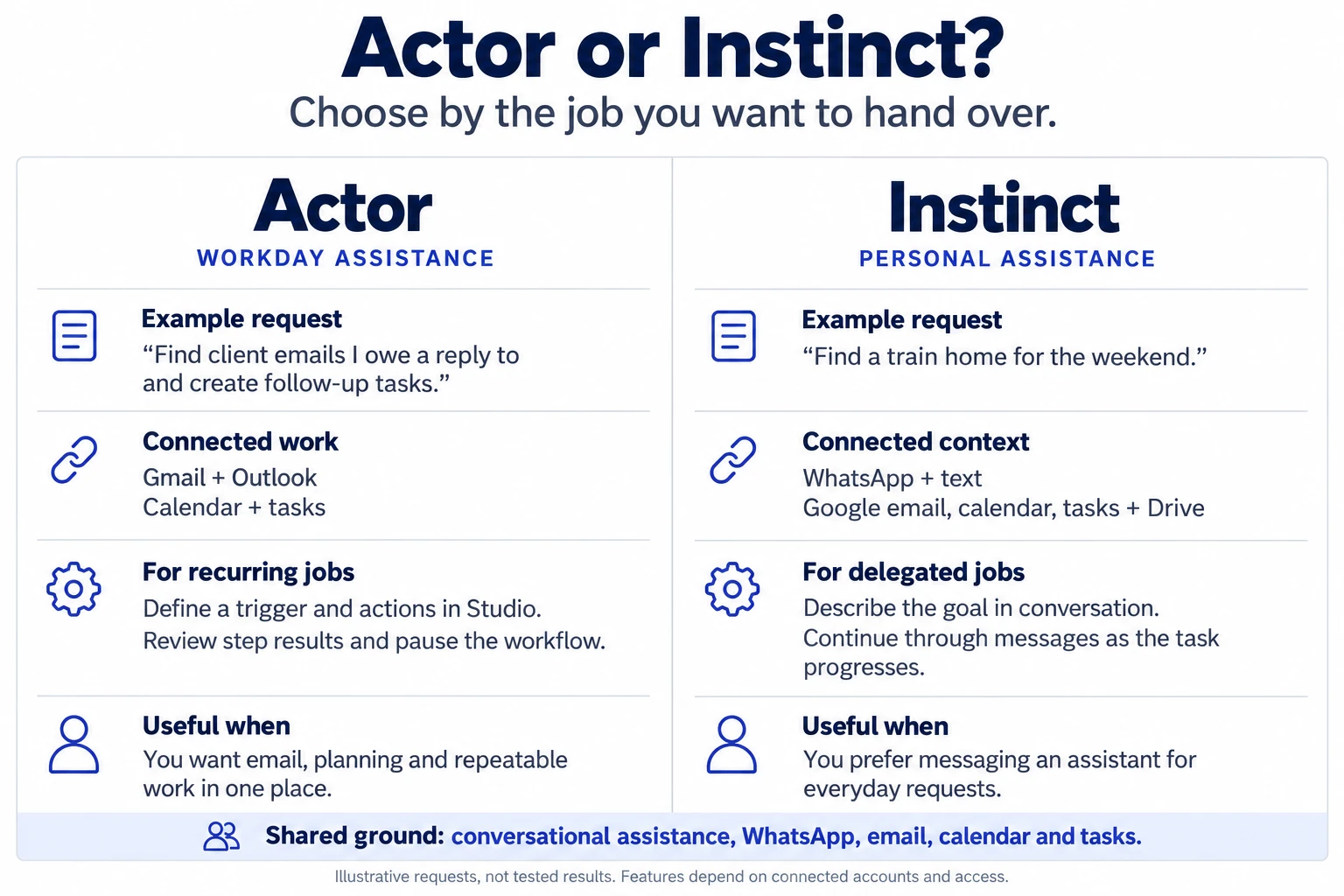
| What matters | Actor | Instinct |
|---|---|---|
| How you ask | Web app, WhatsApp and Outlook add-in; Slack and Teams in beta. | Conversational requests through WhatsApp and text; its website also describes calls. |
| Gmail & Google Workspace | Connect Google email, calendar and tasks. | Gmail, Calendar, Tasks, Drive, Docs, Sheets and Slides are named in its privacy policy. |
| Outlook & Microsoft | Outlook, Microsoft Calendar and Microsoft To Do, with an Outlook add-in. | Outlook support is reported to us, but its public pages do not specify Microsoft services or permission scopes. Confirm during setup. |
| Repeatable work | Studio: define triggers, conditions and actions; inspect step results and pause workflows. | Delegate a goal through conversation. Public material reviewed does not document an equivalent visual workflow builder. |
| Everyday use | Email replies, meeting planning, task follow-through and recurring work routines. | Personal assistance and errands, including shopping and travel booking, illustrated on its homepage. |
| Where to start | Try Actor, connect your work accounts, then explore Ask or Studio. | Use the official Text Instinct entry point; check current access and pricing during onboarding. |
Instinct’s Google services are documented in its privacy policy. An integration listing does not establish that every action is available. Microsoft support and SMS availability can vary; verify the options offered to your account. Actor channel availability also varies by account or organization.
Give recurring work a clear path.
Connect the request to your day
Move between email context, calendar availability and tasks with connected Google or Microsoft accounts. Start from the Gmail experience or Outlook add-in.
See how a routine runs
Studio gives recurring jobs explicit triggers and actions. Inspect step results, refine a workflow and activate or pause it as your needs change.
For example, a scheduled Studio workflow can collect unread email, today’s meetings and open tasks, create a briefing, and deliver it to WhatsApp. Explore the Studio examples →
Which assistant fits your day?
Consider Actor if…
You want help with professional email, scheduling and task follow-through, plus repeatable workflows with results you can inspect. You want a web workspace or Outlook entry point alongside WhatsApp.
Explore Ask Actor →Consider Instinct if…
You prefer delegating through messaging and your priority is broad personal assistance, including everyday errands. Check current integrations, access and pricing against your own needs.
Visit Instinct →Questions about Actor and Instinct
Can I use both assistants through WhatsApp?
Yes. Actor lists WhatsApp as available, and external reporting describes Instinct’s WhatsApp experience. Actor also offers a web app and Outlook add-in. Check setup requirements for your account.
Does Instinct connect to Gmail, Drive, calendar and tasks?
Its privacy policy explicitly names Gmail, Google Calendar, Drive, Docs, Sheets, Slides and Tasks. Available actions depend on the access you grant and the product’s current capabilities.
What about Outlook and Microsoft 365?
Actor documents Outlook, Microsoft Calendar and Microsoft To Do support. Instinct’s public material reviewed does not detail its Microsoft integration; confirm Outlook availability and supported actions in your Instinct account before relying on it.
Can Actor automate work without a new message each time?
Yes. Studio can start work from a schedule or supported event and run configured actions. You can review workflow history and pause a routine. Some features depend on your plan and connected accounts.
How much do they cost?
Actor offers a free starting point; see current Actor pricing for limits and paid features. Instinct’s homepage does not publish a comparable plan table. Confirm its current terms during onboarding.
HIPAA and GDPR compliance.
Actor is GDPR compliant and offers HIPAA-compliant processing for eligible Business customers under an executed Business Associate Agreement (BAA) and an approved configuration. Contact Actor before using the service to process protected health information (PHI).
Read our HIPAA compliance details and Trust Center for GDPR data-processing terms, security measures and the scope of compliance support.
Start with one request.
Build the routine when it repeats.
Connect your work accounts and see how Actor fits into your day.