
Improved AI Training for Email Labelling
We’ve just rolled out an improvement to AI training for email labelling in ActorDo.
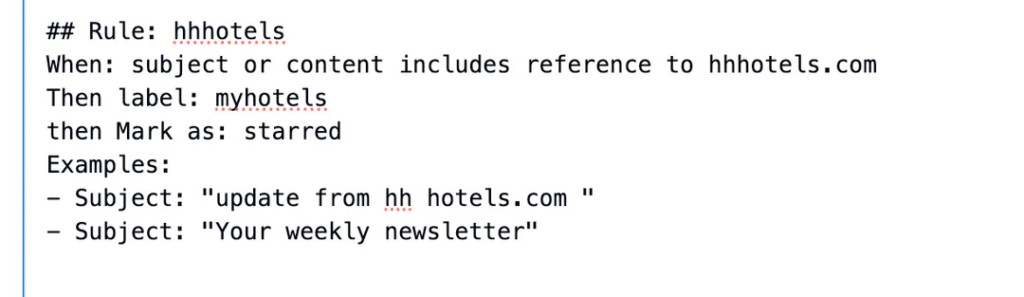
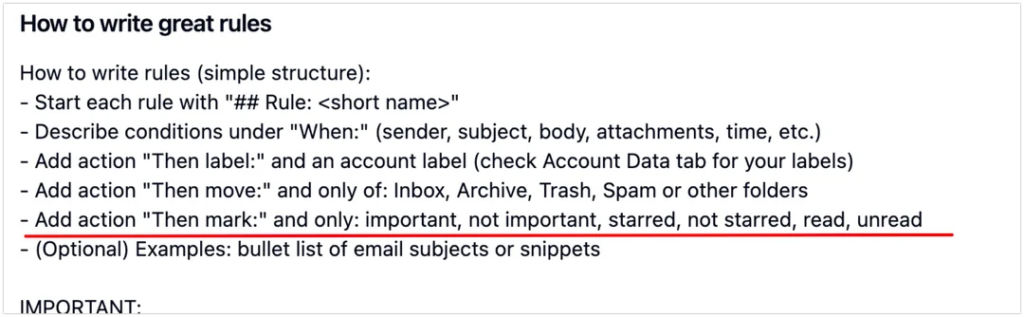
If you train Actor using examples, you’ll now see a new command line available:
Then mark as:
- read
- unread
- important
- not important
- starred
- unstarred
Why this matters
Until now, training mostly focused on how emails are labelled.
With this update, training also covers how emails should be treated after they’re processed.
That means:
- Better prioritization
- Cleaner inbox states
- Smarter automation over time
You’re no longer just teaching what an email is —
you’re teaching what should happen to it.
Platform support
As always, AI training works across:
- Google (Gmail)
- Microsoft (Outlook)
No change in setup. Just more control.
This is part of our ongoing effort to make AI training feel natural, explicit, and actually useful — closer to how you’d explain things to a human assistant.
More improvements coming soon. Don’t forget, we build ActorDo as the best Work Assistant.