
Executive Productivity: A Top-Down System for Strategy, Time and Tools
Executive productivity is not about completing more tasks. It is about spending limited attention on the work that only you can do: setting direction, making important decisions, developing people, and removing obstacles.
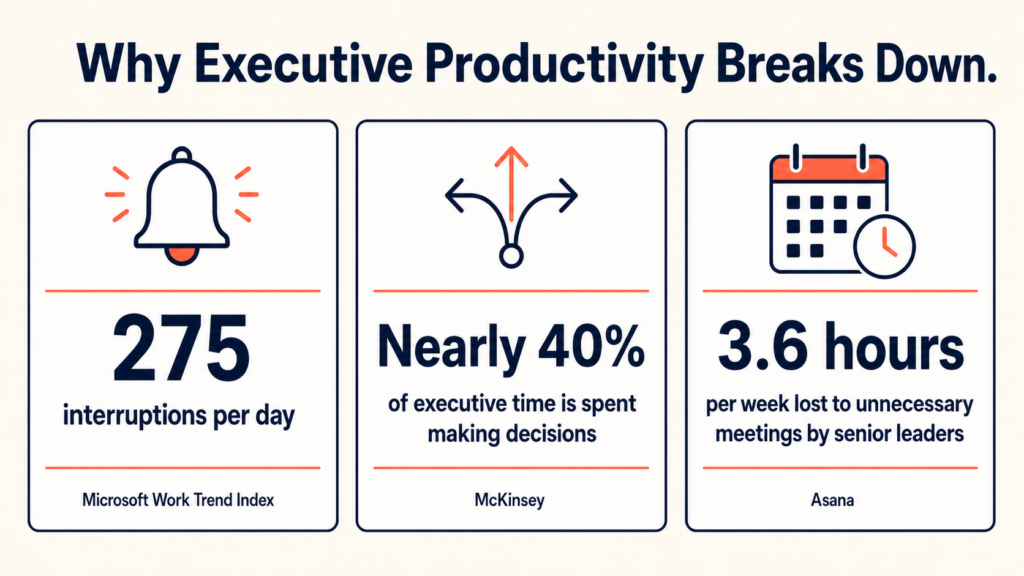
The real problem is not a lack of effort. It is fragmentation. Microsoft found that employees are interrupted by a meeting, email, or chat about every two minutes during core work hours. McKinsey reports that executives spend close to 40% of their time making decisions, while much of that time feels poorly used. Asana found that senior leaders lose 3.6 hours each week to unnecessary meetings.
The answer is a top-down productivity system: strategy first, tools last.
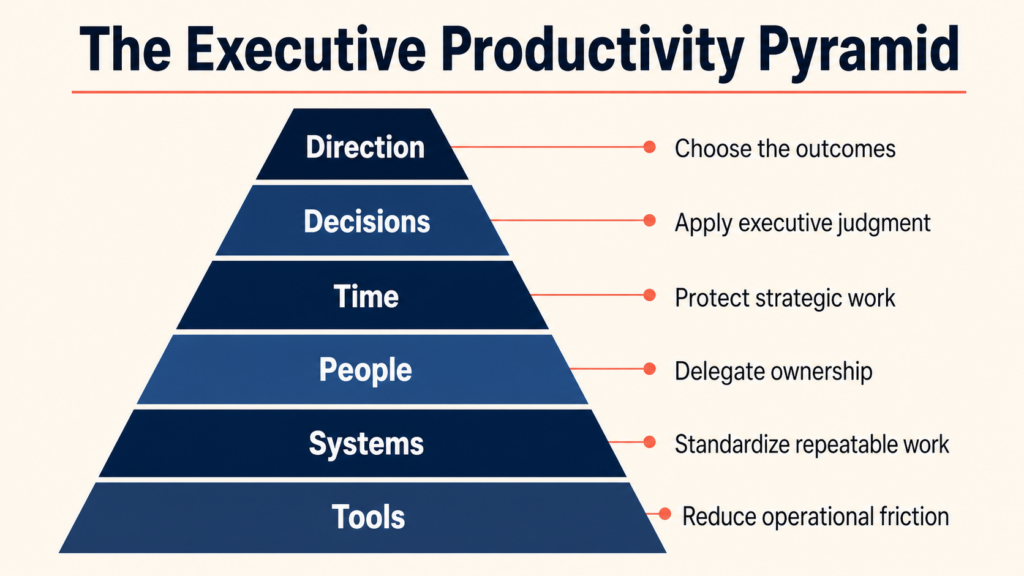
The executive productivity pyramid
| Layer | Main question | Output |
|---|---|---|
| 1. Direction | What must change? | Three clear outcomes |
| 2. Decisions | What needs my judgment? | Fast, documented decisions |
| 3. Time | Does my calendar match the strategy? | Protected time for priorities |
| 4. People | What should someone else own? | Clear delegation |
| 5. Systems | What can run without me? | Rules and automation |
| 6. Tools | What reduces friction? | A small, connected stack |
If the top layers are unclear, software only helps you do the wrong work faster.
1. Start with three outcomes
A long priority list is not a priority list. Choose up to three outcomes for the next quarter.
- Write each outcome as a measurable change, not an activity.
- Give each outcome one owner and one success measure.
- Name what you will stop, delay, or delegate to create capacity.
Weak: Improve customer retention.
Better: Reduce monthly customer churn from 4.5% to 3% by September 30.
2. Plan at four levels
| Horizon | What to define | Review |
|---|---|---|
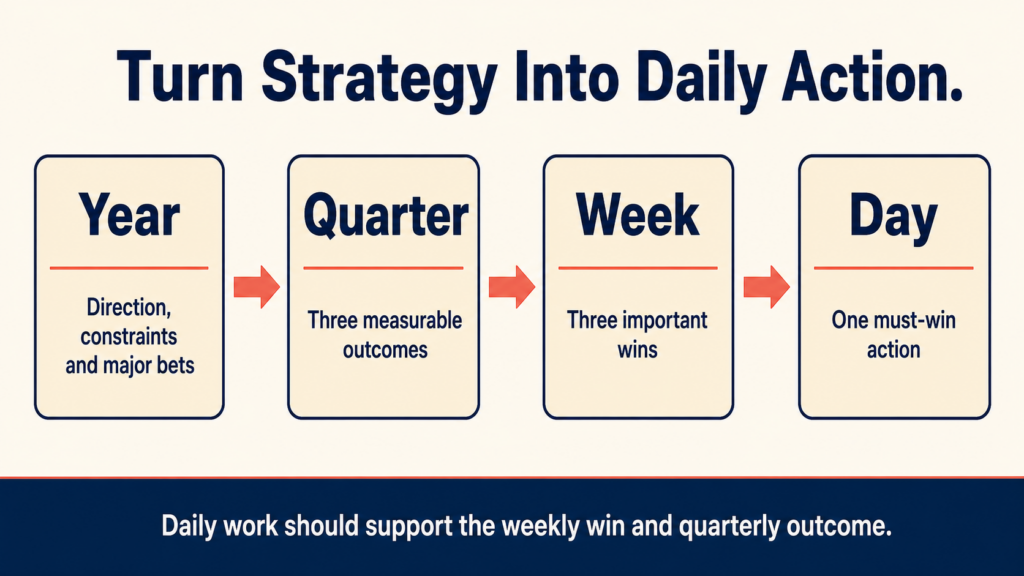
| Year | Direction, constraints, major bets | Quarterly |
| Quarter | Three outcomes and owners | Monthly |
| Week | Three wins that move those outcomes | Friday |
| Day | One must-win action | End of day |
This creates a simple chain: today’s work should support this week’s win, which should support a quarterly outcome. If it does not, question why it is on your calendar.
3. Make the calendar tell the truth
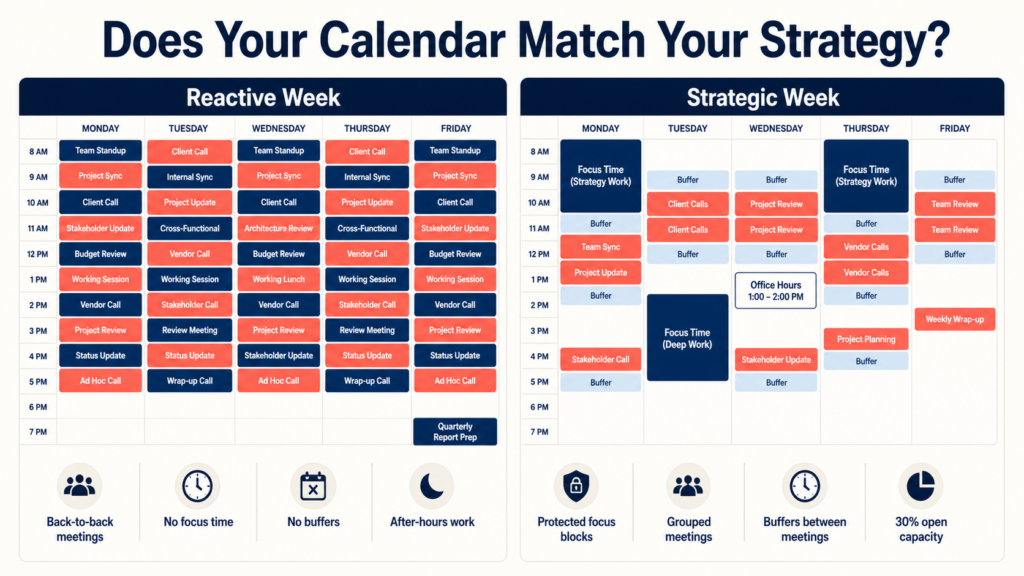
Your calendar is the most honest version of your strategy. Audit it every week.
- Block thinking time first. Protect two or three sessions each week for strategy, writing, and hard decisions.
- Batch similar work. Group one-to-ones, interviews, approvals, and external calls.
- Add buffers. Leave room after important meetings to think and act.
- Set office hours. Give the team a predictable place for questions instead of accepting constant interruptions.
- Delete recurring meetings. Make each one earn its place again.
A useful target is to reserve 30% to 40% of the week for unscheduled focus, decisions, and unexpected issues. An executive calendar filled to 100% is already late.
4. Build a decision system
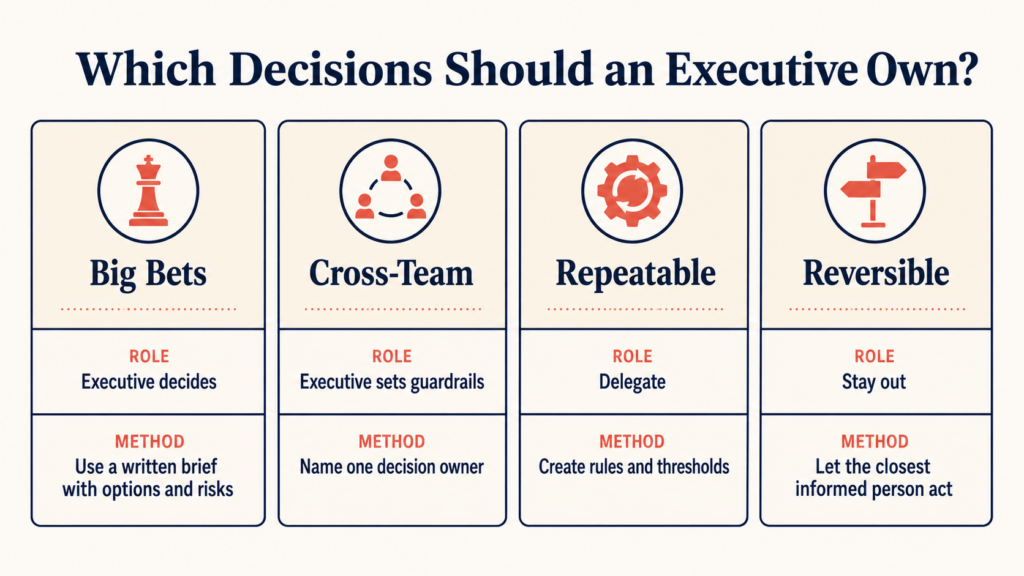
Executives are paid for judgment, but they often become approval bottlenecks. Separate decisions by type.
| Decision type | How to handle it | Your role |
|---|---|---|
| Big bet | Use a short written brief, options, risks, and a deadline | Decide |
| Cross-team | Name one decision owner and consult affected teams | Set guardrails |
| Repeatable | Create a rule, threshold, or playbook | Delegate |
| Reversible | Let the closest informed person act quickly | Stay out |
Keep a lightweight decision log with the decision, owner, date, reason, and review point. This prevents the same debate from returning every month.
5. Delegate outcomes, not errands
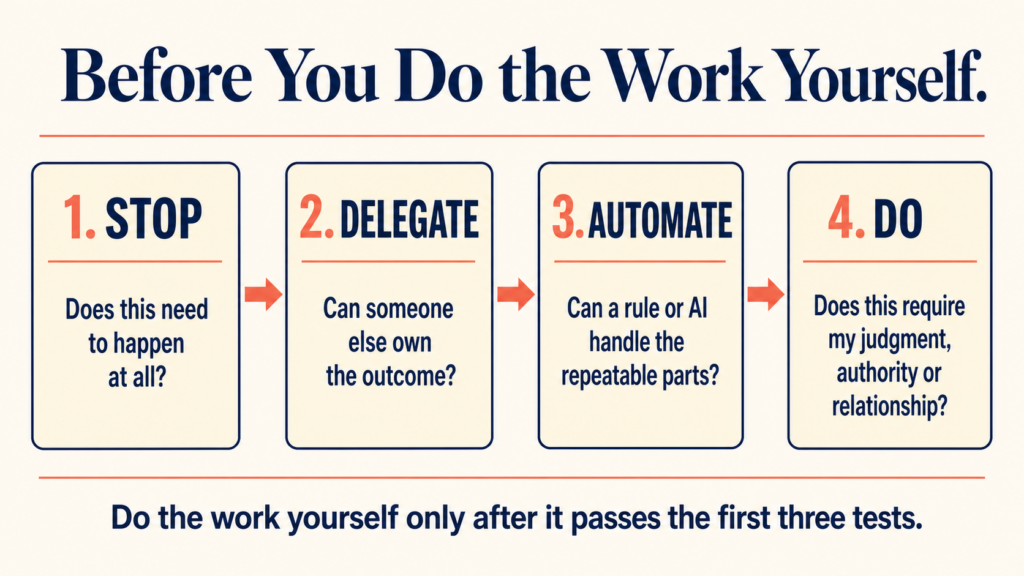
Before doing a task yourself, run it through this order:
- Stop: Does this need to happen at all?
- Delegate: Can someone else own the outcome?
- Automate: Can a rule or AI handle the repeatable parts?
- Do: Is your judgment, authority, or relationship truly required?
Good delegation includes five things: the result, context, decision rights, deadline, and check-in point. Do not delegate a task and keep every decision attached to it.
6. Choose tools by category
The best executive tool stack is small. Each tool should have one clear job and one source of truth.
| Category | What it should do | Common examples |
|---|---|---|
| Strategy and goals | Connect company outcomes to owners and measures | Notion, Asana, Quantive |
| Calendar and time | Protect focus time and show where the week goes | Google Calendar, Outlook, Reclaim |
| Email and work assistant | Prioritize messages, draft replies, track follow-ups, connect email to tasks | ActorDo, Gmail, Outlook |
| Work management | Show owners, deadlines, blockers, and progress | Asana, Linear, Monday.com |
| Knowledge | Store decisions, playbooks, and company context | Notion, Confluence, Google Drive |
| Communication | Support fast discussion without becoming the system of record | Slack, Microsoft Teams |
| Automation | Move information and trigger repeatable work | Actor Studio, Zapier, Make |
| Review and analytics | Reveal time use, meeting load, and progress | Calendar analytics, dashboards, time reports |
Do not buy a tool before naming the behavior it should change. If two tools own the same data, choose one. If a new tool creates another inbox to check, it may reduce productivity rather than improve it.
Where AI helps executives most
AI is most useful for high-volume coordination, not final accountability.
- Summarize long email threads and documents.
- Draft replies, briefs, agendas, and follow-ups.
- Turn messages and meetings into tasks.
- Find schedule conflicts and protect focus time.
- Run repeatable workflows in the background.
Keep human control over sensitive communication, hiring, compensation, legal commitments, and major strategic decisions.
ActorDo’s AI work assistant is designed for the coordination layer: email, calendar, tasks, follow-ups, and business context in one place. This matters because executive work rarely stays inside one app. You can create an Actor account here.
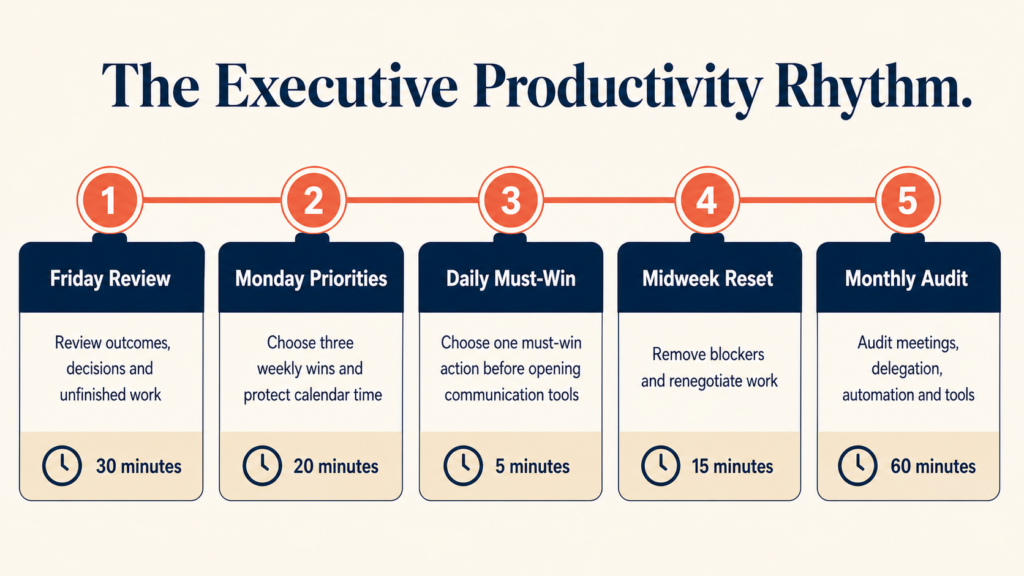
A simple weekly operating rhythm
| When | Action | Time |
|---|---|---|
| Friday | Review outcomes, decisions, calendar, and unfinished work | 30 minutes |
| Monday | Choose three weekly wins and protect time for them | 20 minutes |
| Daily | Choose one must-win action before opening communication tools | 5 minutes |
| Midweek | Remove blockers and renegotiate work that no longer fits | 15 minutes |
| Monthly | Audit meetings, delegation, automations, and tool usage | 60 minutes |
Measure the system, not busyness
Track a few signals each month:
- Progress on the three quarterly outcomes
- Hours protected for strategy and focus
- Number and age of open decisions
- Meeting hours and recurring meetings removed
- Work delegated or automated
- After-hours email and calendar load
The goal is not a perfect score. The goal is to notice when urgent work is quietly replacing important work.
Start this week
- Write your three quarterly outcomes on one page.
- Delete or shorten one recurring meeting.
- Protect two focus blocks on next week’s calendar.
- Delegate one recurring responsibility with clear decision rights.
- Automate one repeated email, scheduling, or follow-up workflow.
Executive productivity is the discipline of keeping attention aligned with strategy. Build that discipline first. Then use people, systems, AI, and tools to protect it.
Research referenced: Microsoft Work Trend Index, McKinsey on decision making, and Asana Anatomy of Work.