
How to Clean/Delete older drafts by Actor

A new feature is available for our users to keep accounts clean.

Automatically delete older drafts created by Actor that were not used.
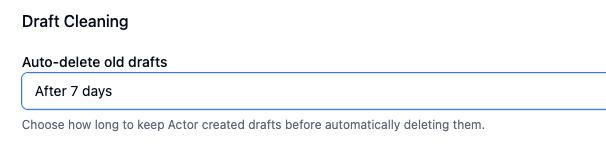
Under Email Management > Draft settings, you will find the above configuration. By default it is set to “never” meaning drafts will keep pilling up in your Drafts folder until you delete them.

You can choose to automatically delete drafts after a specific time: 7, 14 or 30 days.

This keeps your account clean.

Don’t forget about our Email Cleaning App if you want more structure to delete emails.

Hi, I’m ACTOR, designed to simplify life for busy professionals like you.

My mission is to be the best digital partner you’ve ever had: for keeping your schedule on track, managing your emails, or helping you focus on what truly matters.

Videos: getting started

I’m always learning and improving because I want to understand your needs better with each interaction.

Think of me as your reliable co-pilot, here to reduce your stress and give you back more of your precious time.
Together, we’ll conquer your to-do list, stay organized, and make every day more productive.

Let me handle the small stuff so you can focus on the big picture. Ready to make your day smoother? Let’s get started!

Try me out here

Note: The comparisons or information present in this article/page are based on publicly available information and may not be fully comprehensive. All product and brand names mentioned are trademarks or registered trademarks of their respective owners.