
Workspace Studio Alternative for Outlook
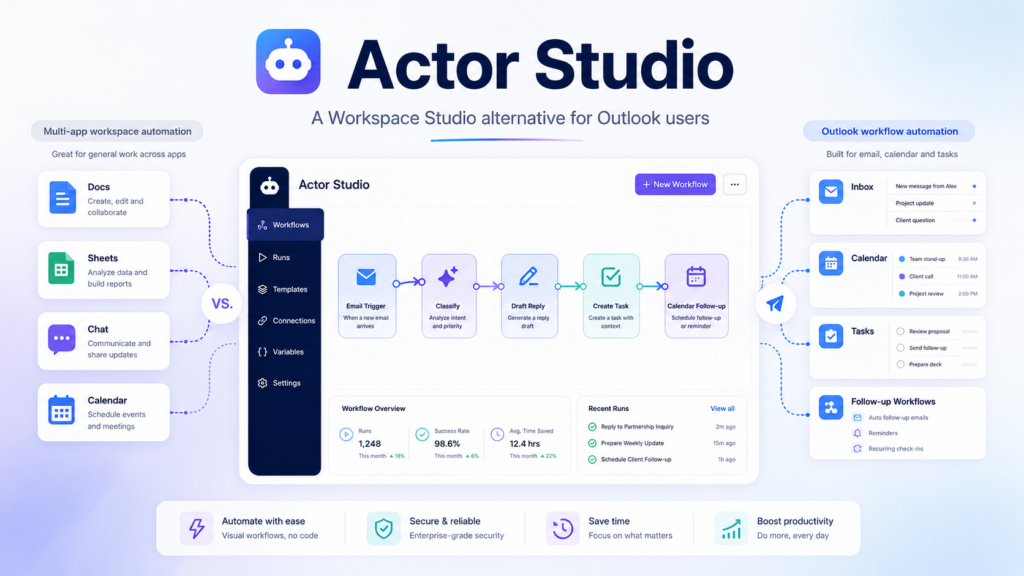
Google introduced Workspace Studio as a way to build AI agents and automate work across Gmail, Drive, Sheets, Docs, Calendar, Chat, and other Workspace apps. The idea is simple: instead of manually repeating the same tasks every day, users can create flows that read context, make decisions, and take action inside their work apps.
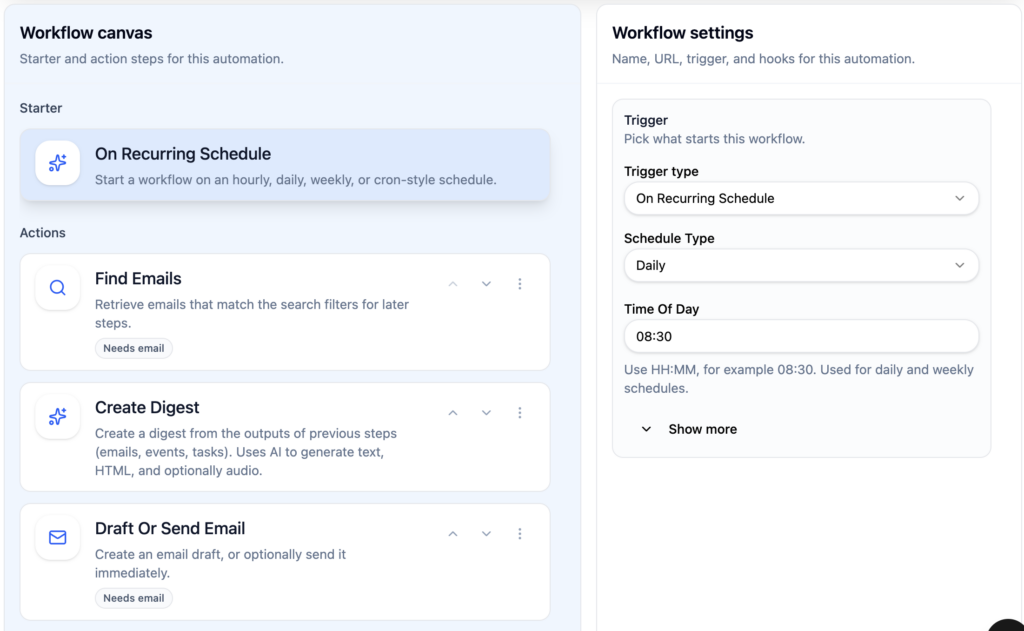
That is powerful, but it mostly speaks to Google Workspace users.
For teams who live in Outlook, Microsoft 365, calendars, inboxes, shared mailboxes, and task workflows, there is still a missing layer: a simple automation studio built around how Outlook users actually work.
That is where Actor Studio comes in.
AI workflows for Outlook, not just Gmail
Actor Studio is designed for professionals and teams who want to automate work around email, calendar, tasks, and follow-ups, especially inside Outlook.
Instead of only asking AI to summarize or draft, Actor Studio lets users build workflows like:
- classify incoming emails automatically
- create follow-up reminders when no reply is received
- draft replies based on email context
- move emails to the right folder
- detect urgent or customer-related messages
- create tasks from important emails
- trigger WhatsApp or dashboard notifications
- run workflows step by step before trusting automation
Google Workspace Studio is focused on the Google ecosystem. Actor Studio brings a similar idea to people who work mainly in Outlook and Microsoft 365.
Built for control, not black-box automation
One of the biggest problems with AI automation is trust.
People do not want an AI assistant randomly acting on emails without knowing why. Actor Studio is built around visible, editable workflows. Users can see the trigger, conditions, actions, and outputs before letting the workflow run automatically.
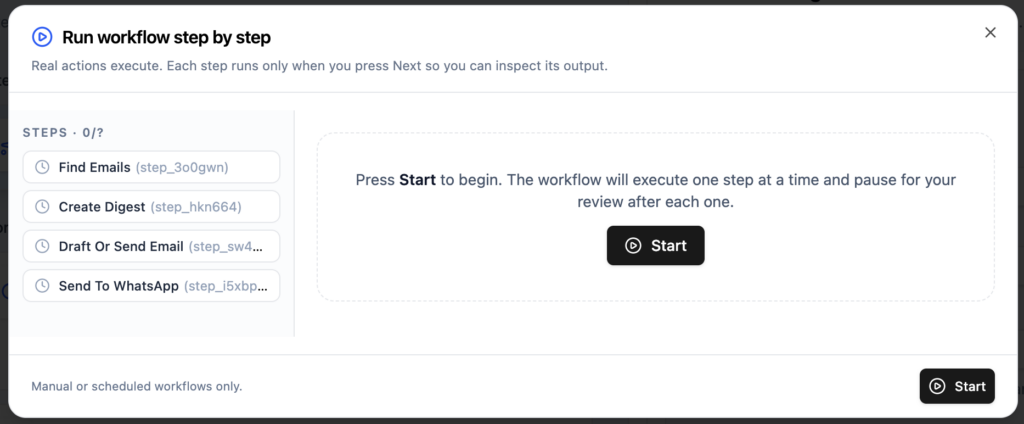
That makes it useful not only for individuals, but also for teams that need repeatable processes around inbox management, sales follow-ups, customer operations, finance emails, or internal coordination.
Why Outlook users need this
Outlook is where a huge amount of business work still happens. But most Outlook automation is either too manual, too technical, or too generic.
Simple way to automate Outlook: Calendar, Todos and Email.
Rules are limited. Power Automate can be powerful, but often feels too complex for everyday users. Copilot helps inside Microsoft 365, but it does not always give users the workflow-level control they need.
Actor Studio aims to sit in the middle:
simple enough for business users, flexible enough for real workflows, and focused on email, calendar, and task execution.
Actor Studio vs Workspace Studio
Workspace Studio helps Google users create AI agents across Workspace apps.
Actor Studio is for people who want that same automation mindset, with a few differences:
- built around Outlook, including multiple accounts
- connects email workflows, calendars, tasks, and professional follow-up systems.
- extends Microsoft ecosystem with external connectors (Whatsapp for example)
The goal is not just to “chat with AI.”
The goal is to build an assistant that can help run the small repetitive workflows that fill your workday.
For Outlook users, Actor Studio is becoming that layer.
On top of automations, ActorDo for Outlook provides:
- an Outlook Add-in to have Actor side by side in your Inbox
- Email and Calendar apps to extend functionality for your work
- Chrome extension.