
Launching ActorDO Studio AI Automations
I want to introduce you Actor Studio: Automate Your Inbox, Calendar, and Tasks, without writing a single line of code
Added 2 weeks ago, however I wanted to fix things before publicly launching.
Not another CRM. Not another project management tool. Something that sits between your email, calendar, and tasks and does the boring, repetitive work you shouldn’t have to do manually.
Actor Studio – AI Automations
Studio is an automation builder that lives inside ActorDo. You describe a workflow, what triggers it, what happens next — and Studio runs it for you, every time, without you being in the loop. Think of it as a layer of logic on top of the tools you’re already using every day.
How it works
Every automation in Studio starts with a trigger. S
Something has to kick things off — an email landing in your inbox, a calendar event about to start, someone booking a call, or even a schedule you define yourself.
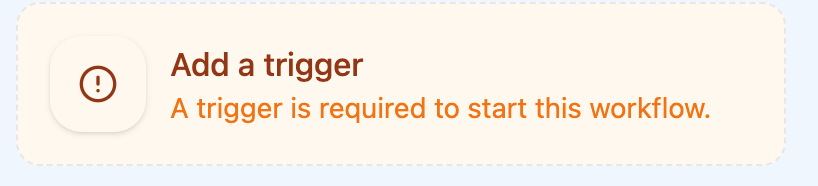
Once Studio detects that trigger, it runs through the steps you’ve set up, in order, until the job is done.
The trigger options you get out of the box cover the most common starting points: run manually on demand, fire when an email is received or sent, activate when a calendar event is starting, trigger when a call gets booked, or run on a recurring schedule.
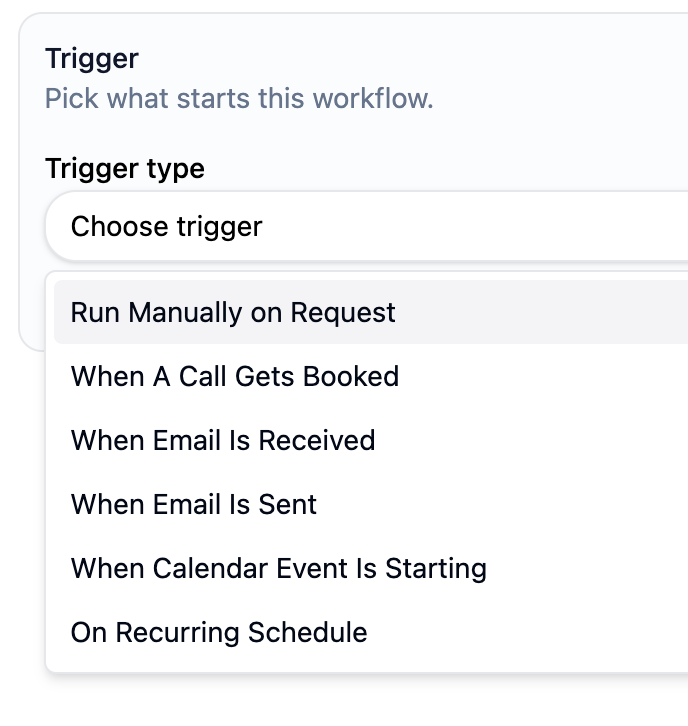
That last one is useful for things like daily digests, weekly cleanups, or end-of-day summaries.
After the trigger, you build a sequence of steps. Each step does one thing — and you can chain as many together as you need.
What you can do with steps
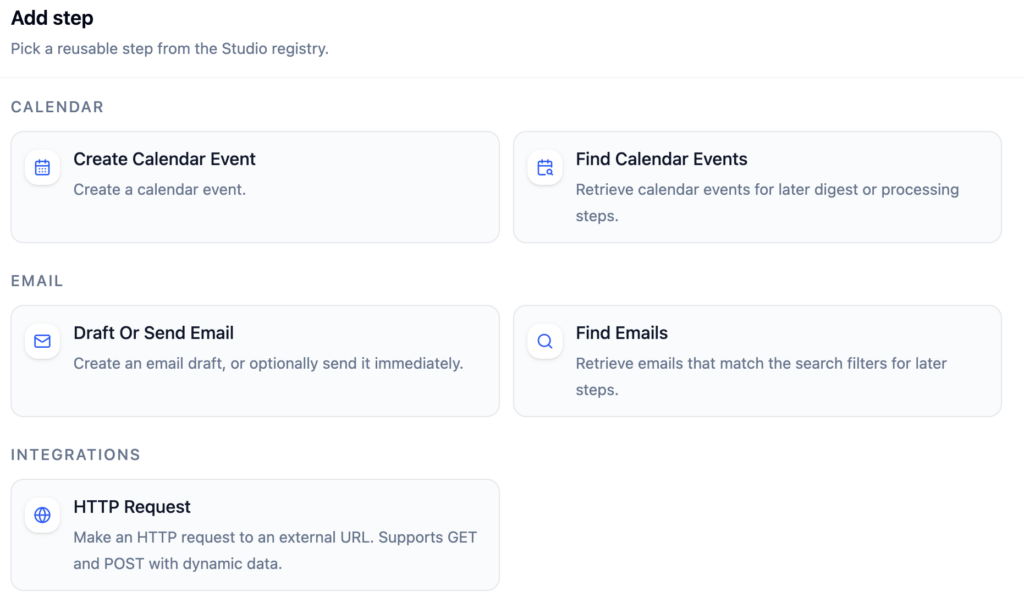
The step registry is where things get interesting. You can draft or send an email, create a calendar event, pull emails or events for processing, create or find tasks, make an HTTP request to any external URL (GET or POST), or send a message to WhatsApp. Those are the building blocks.
What makes Studio more than a simple if-this-then-that tool is the logic layer.
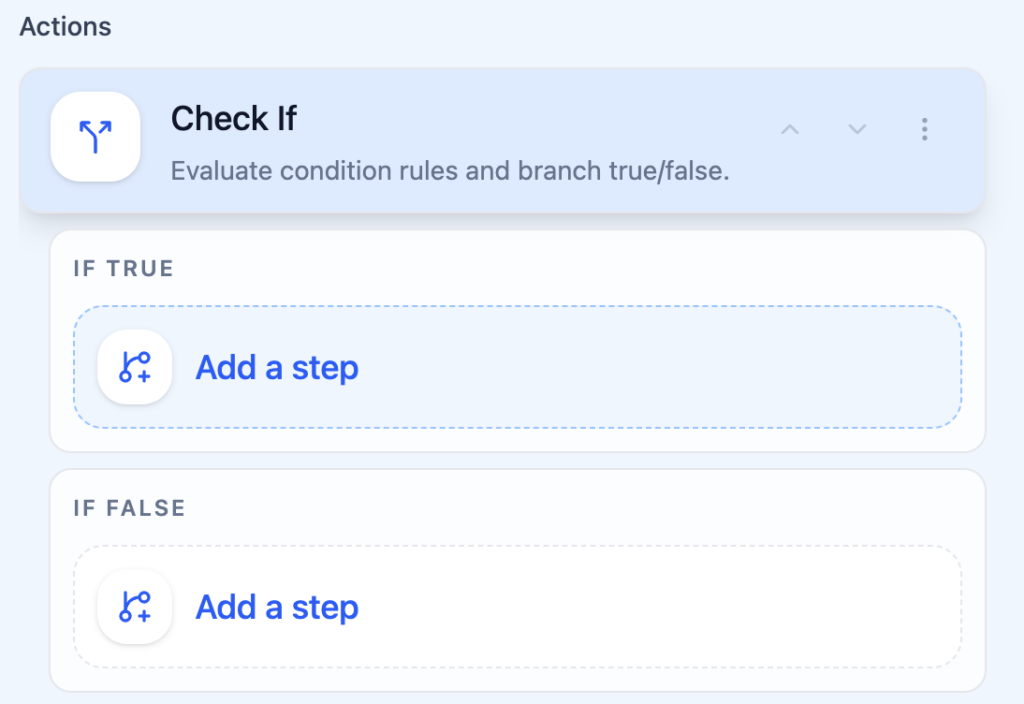
The **Check If** step lets you evaluate conditions and branch the workflow — take one path if a condition is true, another if it’s false. So you can do things like: if the email is from a VIP client, send an immediate reply draft; if it’s not, just create a task and move on.
For users on the Premium plan, there’s also the **AI Prompt** step.
This is the one that changes the nature of what’s possible. Instead of writing rigid rules, you describe what you want the AI to decide — and it returns a true/false answer that branches your workflow. Categorize an email as urgent or not. Check whether a subject line looks like a sales pitch. Determine if a message requires a human response. These are judgment calls that used to require a human. Now they don’t.
A few workflows that actually save time
The clearest use case is anything that currently requires you to read an email and then manually do something with it.
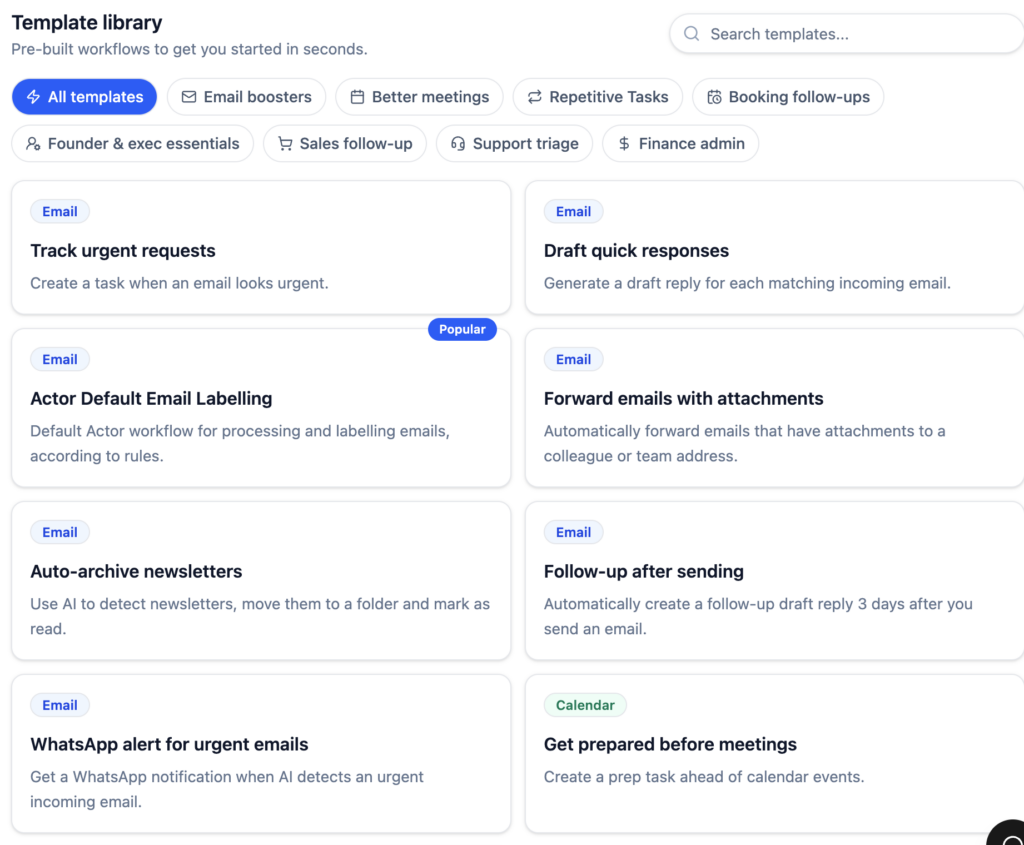
With Studio you can catch every inbound support email and automatically create a task for it, without ever opening email client.
You can set up a recurring morning automation that pulls your calendar events for the day and drafts a briefing email. You can trigger a WhatsApp notification when a client books a call, so you’re never caught off guard by a meeting you forgot to check.
None of these require you to stitch together five different tools or maintain a complex integration. You build it once in Studio, turn it on, and it just runs.
Why we built it this way
The combination of email, calendar, and tasks in a single automation context is something most tools don’t get right.
Usually you’re connecting disparate platforms with third-party glue, hoping it doesn’t break. Studio is built on top of the data ActorDo already has access to, which means the trigger-to-action path is tighter, more reliable, and easier to reason about.
The AI layer on top of that — the ability to use a prompt as a branching condition, to create a draft reply using AI — is something we’re particularly excited about. Looking to see how you use it.
If you’ve been doing something manually that happens more than a few times a week, it’s probably worth five minutes to see if you can hand it off.