
How to Forward emails with Attachments

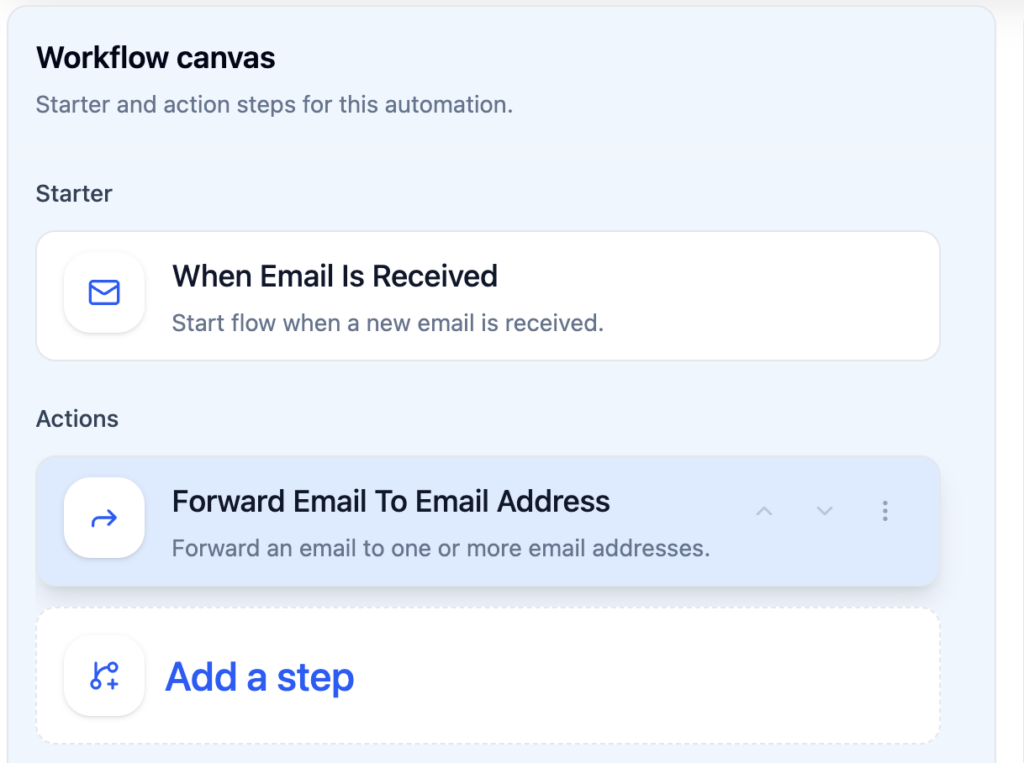
Actor Studio Automations allow you to forward emails to another email address.

Trigger Email is Received

You can filter out what emails you want forwarded. Those filters are added on the trigger (Email is received)
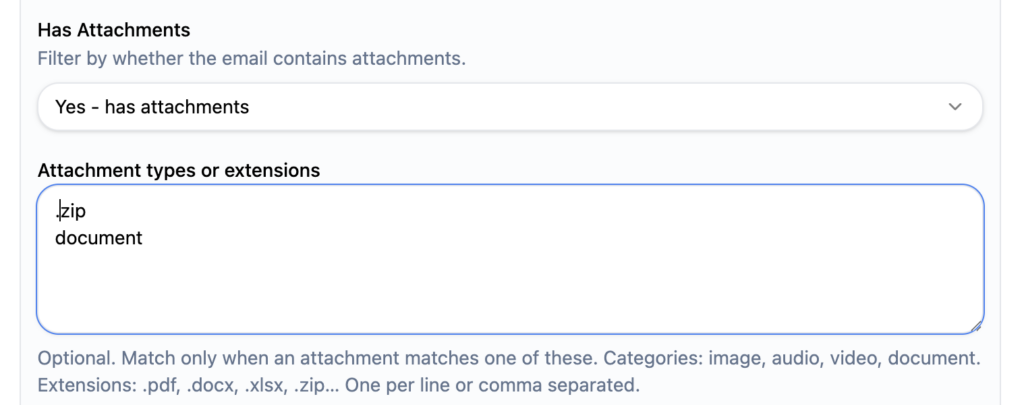
For example choose to filter only emails who have document or .zip attachments

Email Forwarding Action

In the forwarding action you can add the recipients (one or multiple) as well as a forwarding note.
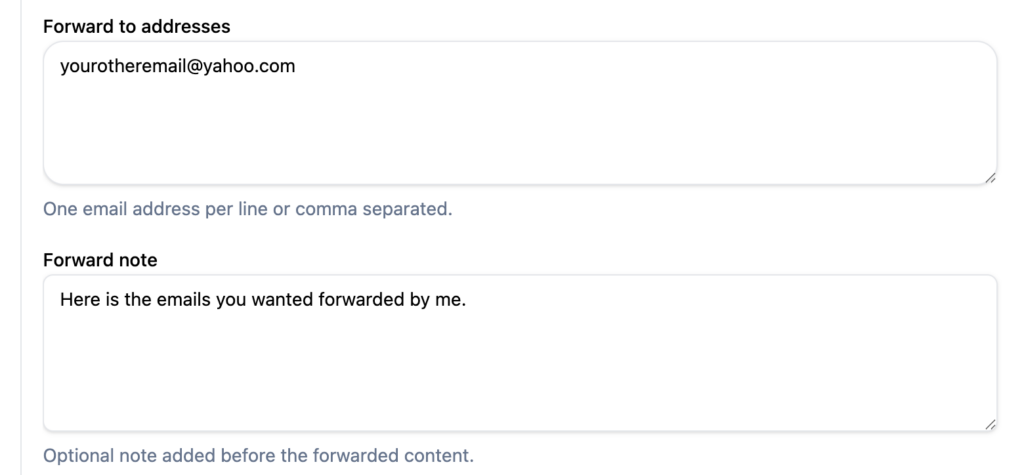
Email received by all recipients will include original attachments and the forward note on top of email content body.

Important: you can also forward sent emails to a specific others. This is very useful for archiving purposes.

Hi, I’m ACTOR, designed to simplify life for busy professionals like you.

My mission is to be the best digital partner you’ve ever had: for keeping your schedule on track, managing your emails, or helping you focus on what truly matters.

Videos: getting started

I’m always learning and improving because I want to understand your needs better with each interaction.

Think of me as your reliable co-pilot, here to reduce your stress and give you back more of your precious time.
Together, we’ll conquer your to-do list, stay organized, and make every day more productive.

Let me handle the small stuff so you can focus on the big picture. Ready to make your day smoother? Let’s get started!

Try me out here

Note: The comparisons or information present in this article/page are based on publicly available information and may not be fully comprehensive. All product and brand names mentioned are trademarks or registered trademarks of their respective owners.