
Send encrypted emails from Gmail and Outlook with ActorDo
Some emails should not live as plain text inside an inbox.
Contracts, financial details, HR notes, customer data, legal updates, payment instructions, internal decisions, all of these are often sent through normal email because email is fast and everyone already uses it.
ActorDo adds a simple encrypted email layer on top of Gmail and Outlook, so you can keep the normal email workflow while protecting the actual message content.
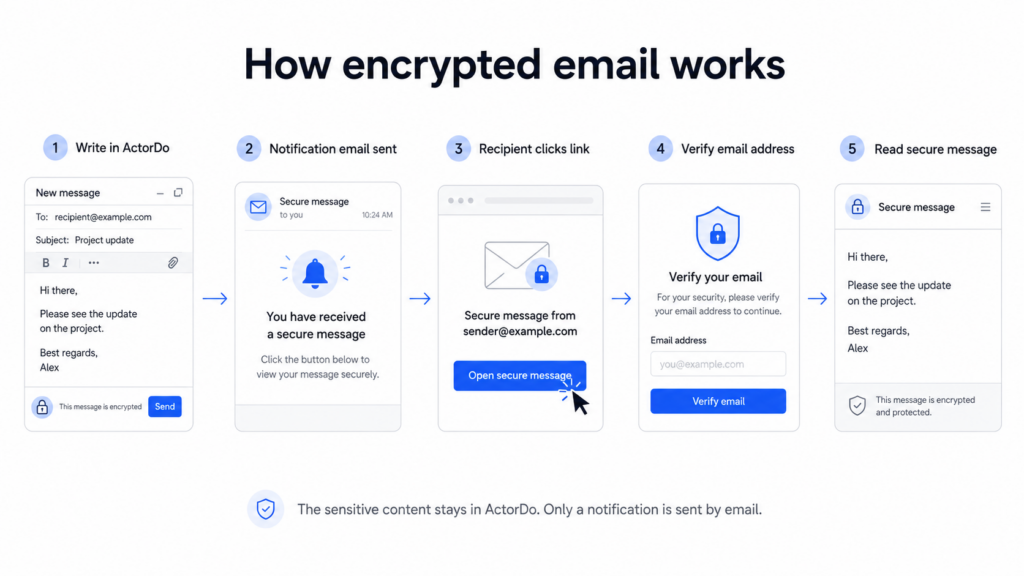
How it works
When you want to send a sensitive email, you write it inside ActorDo instead of writing the full message directly in Gmail or Outlook.
ActorDo sends the recipient a normal email notification saying they have received a secure message from you.
The sensitive content is not included in that email.
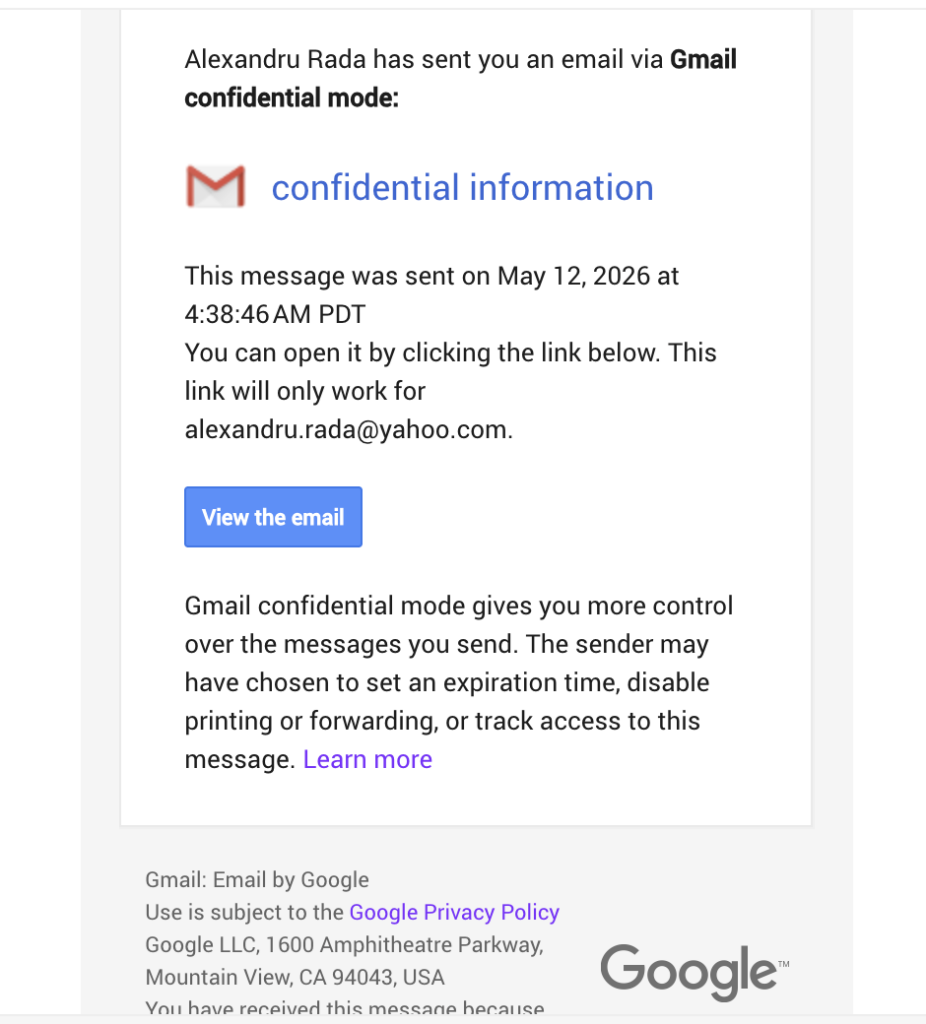
Gmail also has the confidential mode that works similar. The receiver of the email must create or log in with a google account that matches the exact recipient email, otherwise it won’t work.
Instead, the recipient clicks a secure link and opens the message on an ActorDo page. Before seeing the content, they confirm their email address, so the message is only shown to the intended recipient.
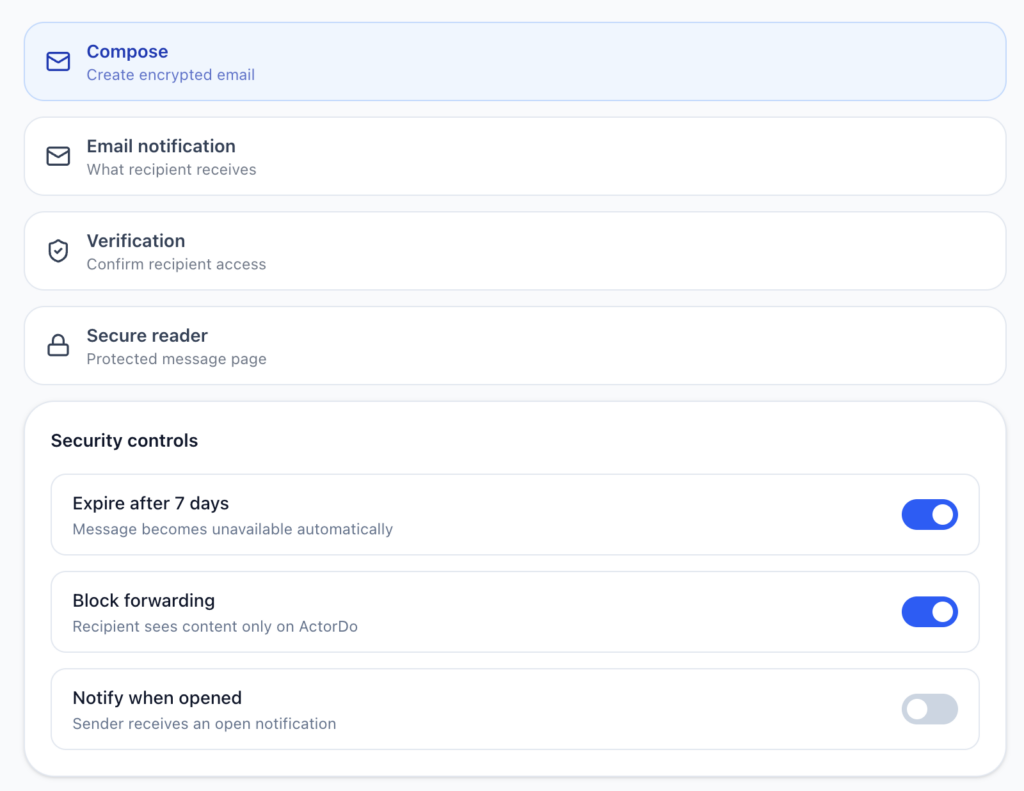
Reading the email is always time-bound to maximum 30 days, after which is being deleted.
The flow is simple:
- Write the encrypted message in ActorDo
- Choose the recipient
- ActorDo sends a notification email
- The recipient opens the secure link
- They confirm their email address
- They read the private message safely
Why use it
Normal email is convenient, but it is easy to forward, sync, expose in previews, or leave stored in multiple inboxes forever.
With ActorDo encrypted email, the inbox only contains the notification. The private content stays inside ActorDo.
This is useful when sending:
customer information
contracts and quotes
payment details
financial notes
HR or employee-related messages
legal or confidential business updates
sensitive internal decisions
Built for real work
ActorDo encrypted email is designed for people who already work in Gmail and Outlook.
You do not need to move your team to a new email client. You do not need the recipient to install anything. You simply use ActorDo when the message is too sensitive for a normal email body.
For teams, this can also reduce risky habits. Instead of sending private information directly through email, users can send a secure notification and keep the real content protected.
A better way to send sensitive emails
ActorDo gives Gmail and Outlook users a safer option for the emails that need more control.
The recipient still gets notified in their inbox. But the sensitive message is opened securely, outside the normal inbox.
For businesses that deal with client data, financial details, contracts, or internal confidential topics, this gives a simple middle ground between regular email and heavy secure portals.
If you don’t have already, create a free account with ActorDo