
Turn your emails, calendar and tasks into audio briefings with ActorDo
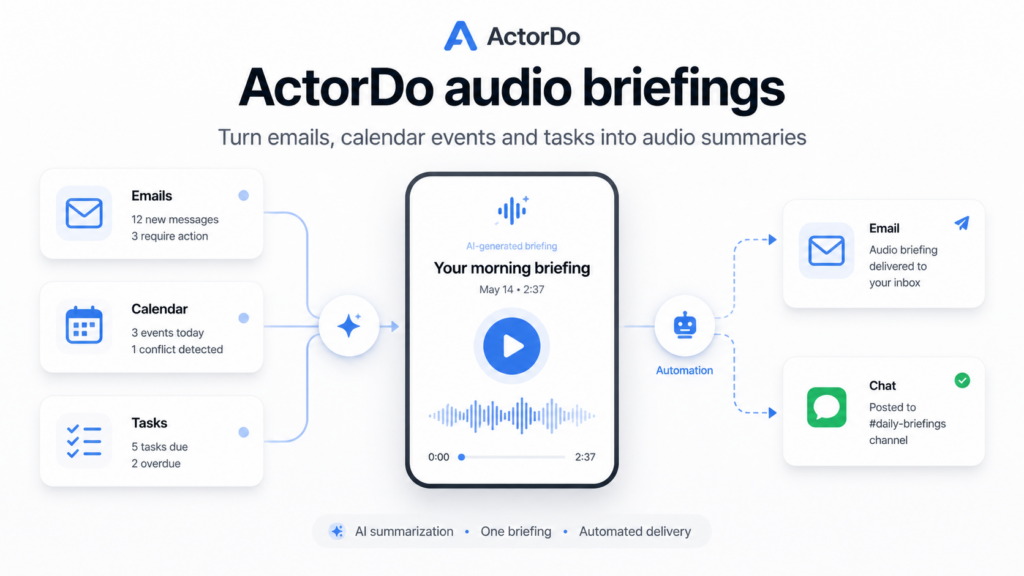
Most people start the day by opening too many apps.
First email. Then calendar. Then tasks. Then maybe Slack, WhatsApp, project tools, or yesterday’s notes. Before real work even starts, the brain is already busy sorting noise.
ActorDo gives you another option: receive an audio briefing with the most important things you need to know.
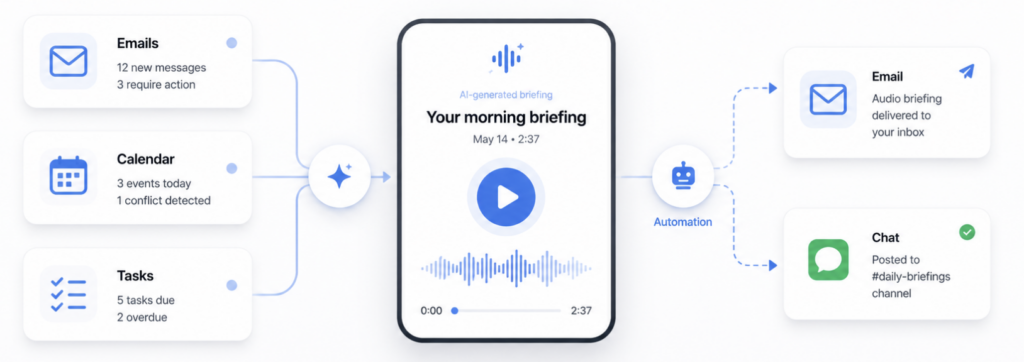
It can summarize emails, calendar events, and tasks, generate an audio file, and send it to you by email or WhatsApp.
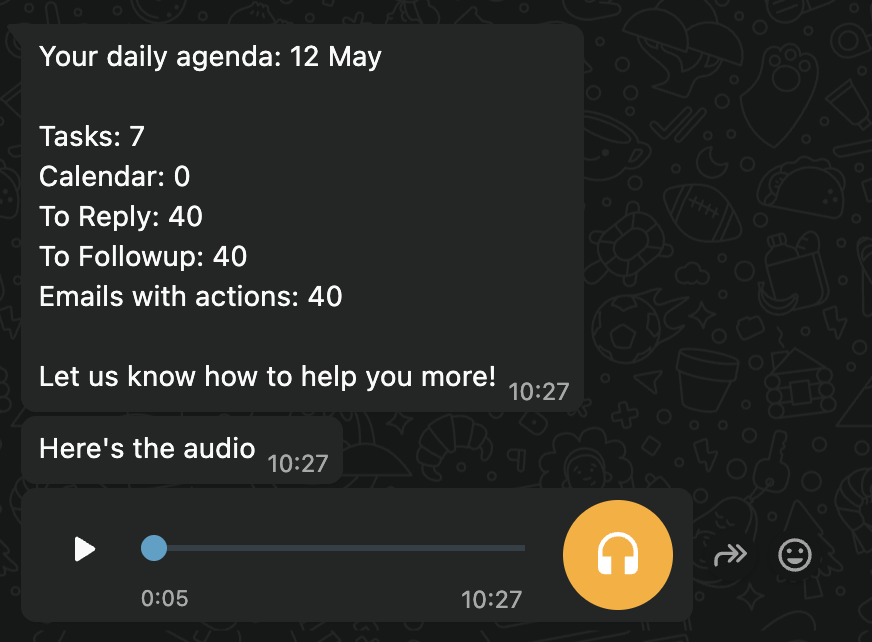
So instead of reading everything manually, you can listen while making coffee, walking, commuting, or preparing for your first meeting.
What is an audio briefing?
An audio briefing is a short spoken summary of your workday.
It can include things like:
- Important unread emails
- Emails that need a reply
- Meetings coming up today
- Calendar conflicts
- Tasks due today
- Follow-ups you should not forget
- A short plan for the day
The goal is not to read your entire inbox aloud but to help you understand what matters before you start jumping between tools.
How ActorDo audio briefings work
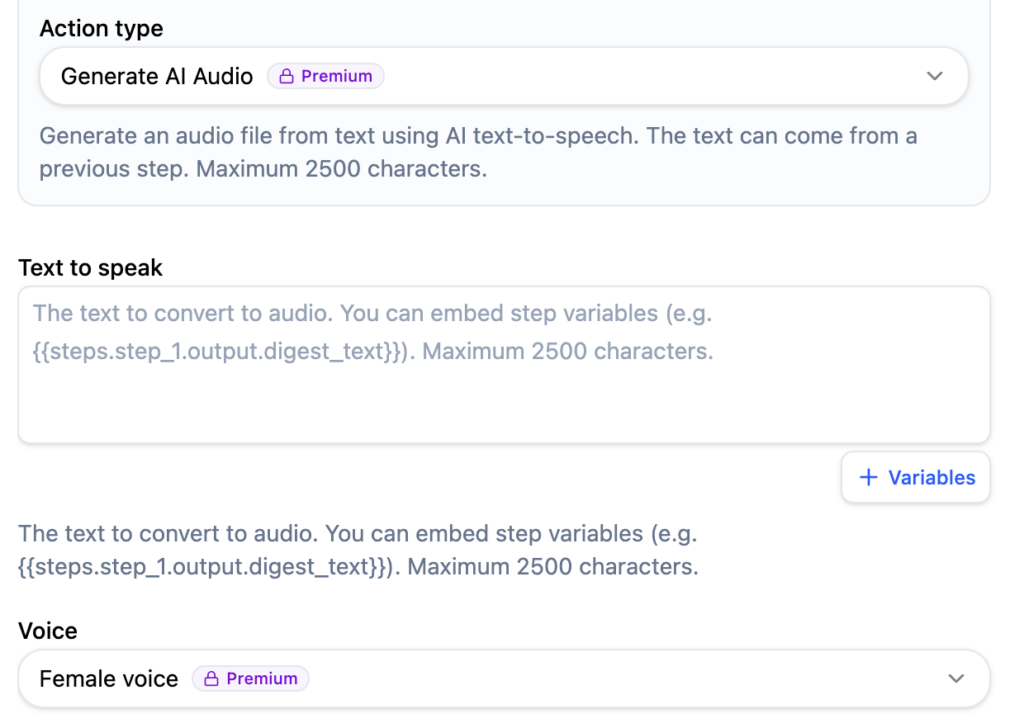
ActorDo uses automations to create and deliver audio summaries.
That means you can decide when the briefing should run, what it should include, and where it should be sent.
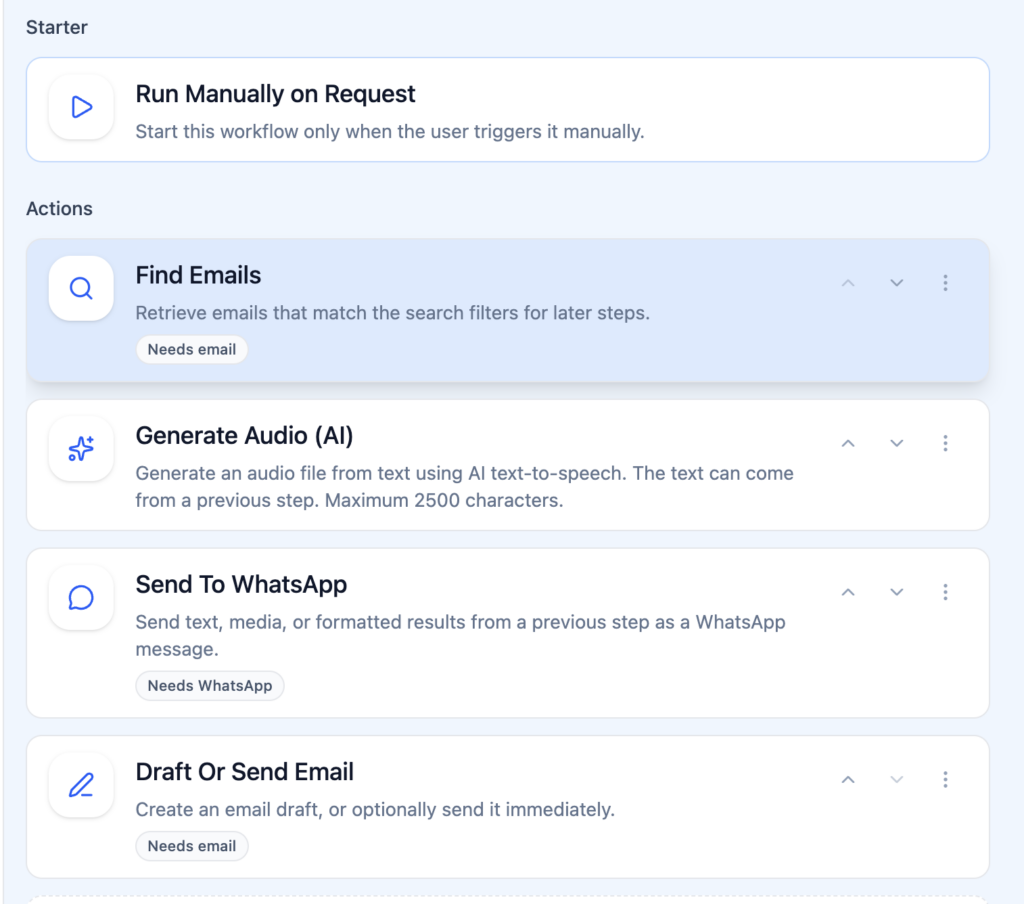
For example, you can create an automation like this:
Every weekday at 7:30
Check my unread emails, today’s calendar events, and open tasks
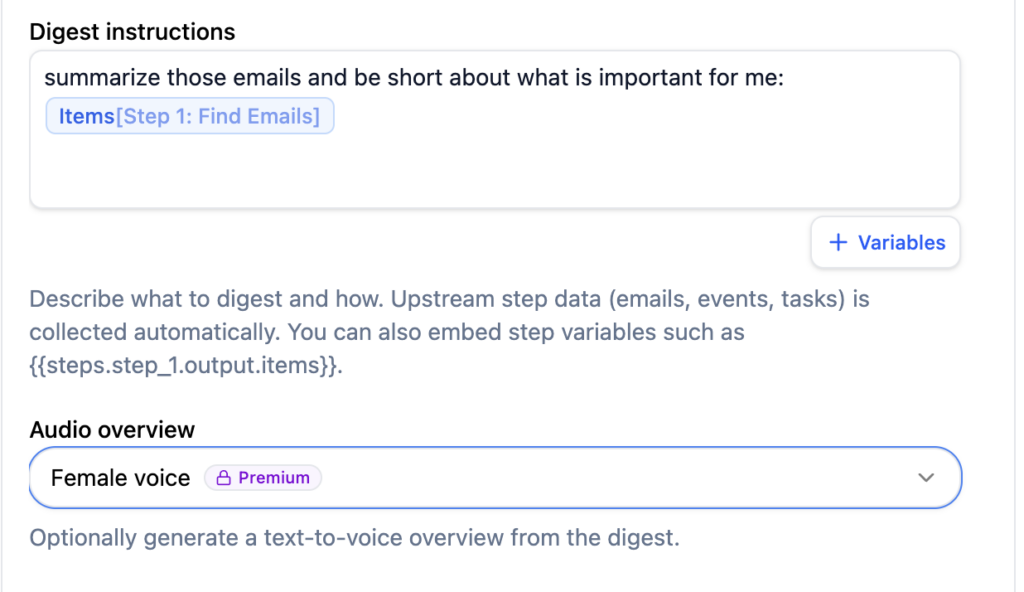
Create a short summary
Generate an audio file
Send it to me on WhatsApp
Or another one:
Every Friday afternoon
Summarize important emails and unfinished tasks from the week
Generate an audio recap
Send it to my email
Because this is built through ActorDo automations, the setup is flexible. It does not have to be only a morning briefing.
Examples of audio briefings you can create
Daily morning briefing
A short summary before the workday starts.
It can tell you what meetings you have, which emails are urgent, what tasks are due, and what needs attention first.
This is useful when you want to start the day with clarity instead of opening your inbox immediately.
Email summary briefing
ActorDo can create an audio summary only from your emails.
For example:
- New important emails
- Customer replies
- Emails waiting for your answer
- Follow-ups from previous conversations
- Messages related to specific clients or projects
This is useful if your inbox is your main work tool, but you do not want to scan it every hour.
Calendar briefing
You can receive a spoken overview of your calendar.
It can include:
- Today’s meetings
- Meeting gaps
- Overlaps or conflicts
- Preparation reminders
- Travel or buffer time reminders
This is useful before a busy meeting day.
Task briefing
You can generate an audio summary of your open tasks.
For example:
- Tasks due today
- Overdue tasks
- Tasks created from emails
- Tasks grouped by project
- Tasks that need follow-up
This works well when you already have too many lists and need one clear spoken overview.
End-of-day recap
Audio briefings are not only for mornings.
You can also create a recap at the end of the day:
- What came in
- What changed
- What still needs attention
- What should be handled tomorrow
This helps you close the day without doing another full review manually.
Why audio works better for some workflows
Reading is great when you need detail. But for daily orientation, audio can be faster and easier.
You do not always need to open the inbox to know that three customer emails need attention. You do not need to inspect the calendar to know that your morning is full and your only focus block is after lunch.
A good audio briefing gives you the shape of the day. It helps you decide where to put your attention.
Why ActorDo is different
Most daily briefing tools are fixed. They give you one morning summary, usually in one format, with limited control.
ActorDo is different because audio generation is part of automations.
That means you can create different briefings for different situations.
You can choose:
- When the briefing runs
- Which accounts it checks
- What content it summarizes
- Whether it uses email, calendar, tasks, or all of them
- Whether it sends the result by email or WhatsApp
- Whether the summary should be short, detailed, urgent-only, or project-specific
This makes ActorDo useful not only as a daily briefing tool, but as a flexible work assistant.
A few practical automation ideas
Create a morning WhatsApp audio briefing with today’s calendar, urgent emails, and top tasks.
Create a customer follow-up audio briefing every afternoon with emails that need a reply.
Create a Monday planning briefing with this week’s meetings and overdue tasks.
Create a Friday recap briefing with unfinished work and important email threads.
Create a meeting prep briefing 30 minutes before important calls, using recent emails and related tasks.
The main benefit
ActorDo audio briefings help you stay informed without constantly checking apps.
You still decide what to answer, move, postpone, or ignore.
But instead of starting from a messy inbox or calendar, you start from a clear spoken summary.
For busy professionals, that can make the difference between reacting all day and starting the day with intention.