How to Auto-Archive specific emails in Gmail
If you’re looking to quickly archive emails that have a specific label in Gmail, here’s an automated way with ActorDo.
There are 2 situations:
- you have a label being applied to those emails using Gmail Filters
- you apply a label manually to such emails
Case 1. Auto-archive emails using gmail Filters.
If you already have a filter that applies a label based on specific criterias, you can also move that email to archive right using Gmail Filters
Case 2. Auto-archive emails that you label manually.
Let’s say you have a custom label named All Done. You want to archive every email with this label automatically.
You apply the label manually from your email client, whenever you are done with it. Here’s how to archive those emails automatically with very little effort, using ActorDo Studio.
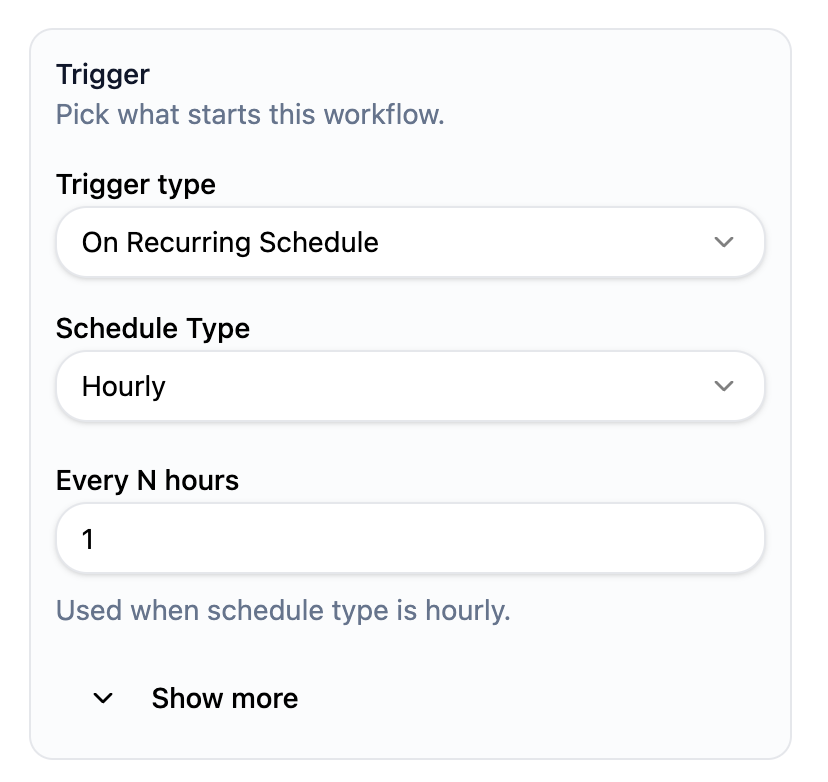
Setup a new automation with the trigger On Recurring Schedule. Make it run hourly.
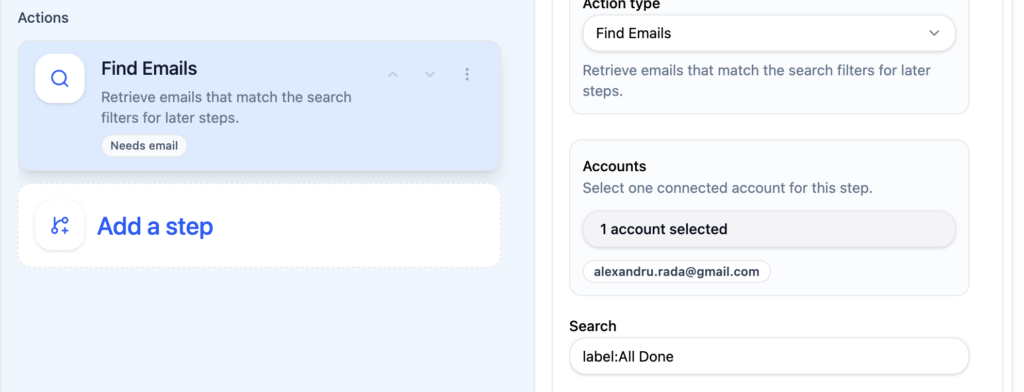
Add a step to query for emails with a specific label. Insert int he query input label:All Done
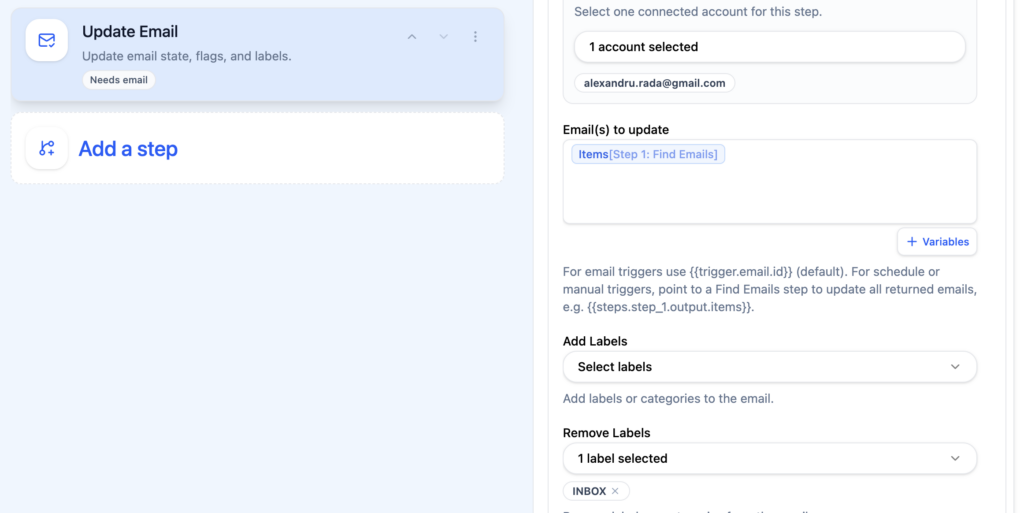
Use update email step to update every email retrieved by find emails. Make sure you exclude previously changed emails that are already in Archive. (otherwise will run over the same emails every time).
Put “INBOX” into Remove Labels configuration.
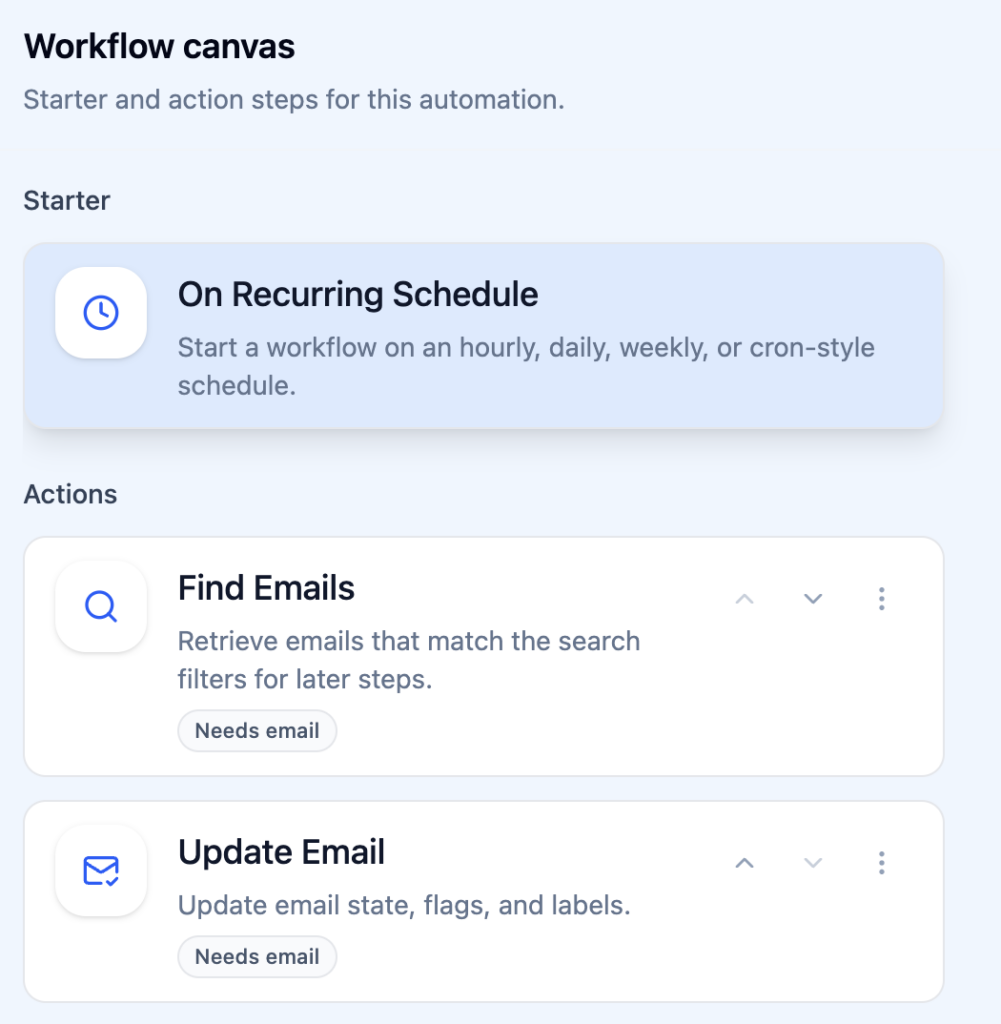
Review of ActorDo Automation to auto archive specific emails
Here’s the overview of your Automation. Don’t forget, help others automate their daily email routing using ActorDo automations