
How to send Emails to URL/API Endpoint
ActorStudio is getting it’s first small upgrade today, a new action.
HTTP Request action.

You can use this to forward received or sent emails to external APIs or custom URLs. Integrate your Gmail and Outlook with anything else.
Although it requires some technical skills, it’s easy to implement.
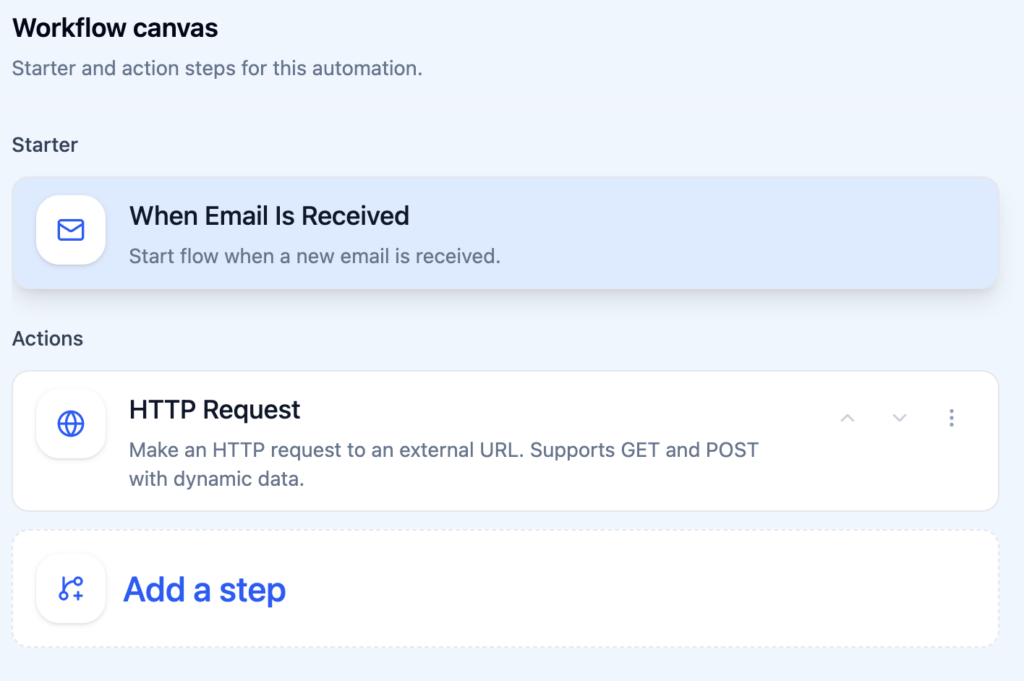
Choose the Email Received trigger.
Add HTTP Request as first action step.
{
  "from": "{{step1.email.from}}",
  "subject": "{{step1.email.subject}}",
  "body": "{{step1.email.body}}"
}
More info on how to configure HTTP Request action.
Important:
- It’s up to you to protect the data over internet
- our system sends data as it reads the email and does not store anything. Make sure you use HTTPS endpoints at least.
Real use cases worth thinking about
1. Logging customer support requests to your own system
Your support inbox gets an email. ActorDo fires a POST to your internal API, which creates a ticket in your custom helpdesk or appends a row to a database. No one has to log in to Gmail and manually copy anything. The ticket exists the second the email arrives.
This is especially useful when you’re not using an off-the-shelf support tool and have your own data layer.
2. Triggering order fulfillment from supplier confirmations
You send a purchase order to a supplier. When they reply with a confirmation email, ActorDo catches it and sends a webhook to your ERP or fulfillment system to kick off the next step. The fulfillment flow starts automatically, without waiting for someone to process the email.
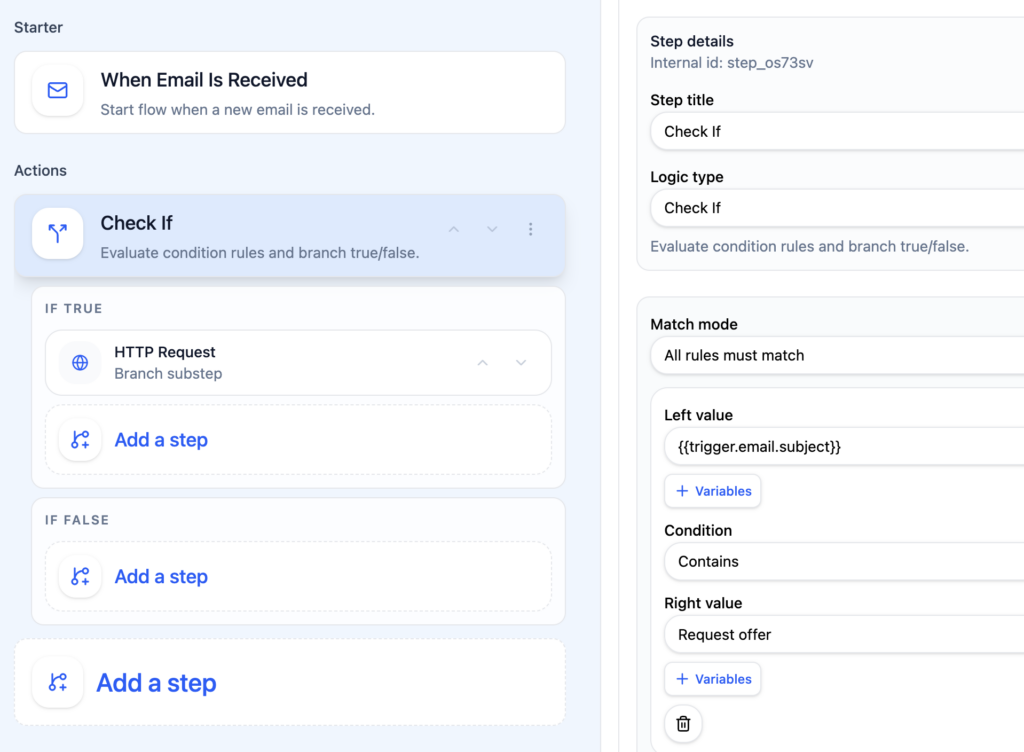
Filter by the supplier’s domain so only relevant emails trigger it. Everything else passes through normally.
3. Alerting your team to inbound lead
A contact form submission lands as an email. ActorDo sends a POST to a Slack webhook (or your own notification service), and the relevant person gets pinged in real time. No more “oh, I didn’t see that email until this afternoon.”
4. Syncing invoice emails to your accounting pipeline
Your accounting software sends confirmation emails when invoices are processed. ActorDo captures those and fires them to a lightweight endpoint that extracts invoice numbers, amounts, and dates — and inserts them into a spreadsheet or database. Finance gets a clean, automatic audit trail.
5. Monitoring for security or compliance signals
Certain emails like password reset confirmations, login alerts, contract signature notifications might carry operational significance.
You can set up ActorDo to catch those patterns and POST them to a logging endpoint, so you have a real-time record without relying on someone checking a shared inbox.
A few things worth knowing
You control the endpoint. ActorDo sends the request; what happens next is entirely up to your backend. You can validate, transform, store, or forward the data however you need. It’s a clean handoff.
Headers are configurable. If your endpoint requires authentication (an Authorization header, an API key, a custom token), you can set those in the HTTP action config. You’re not limited to open endpoints.
You can chain actions. The webhook doesn’t have to be the only action in the automation. You could fire the POST and also move the email to a specific folder, send an auto-reply, or create a calendar event — all from the same trigger.
If you haven’t used ActorDo already, create a free account here.